 01
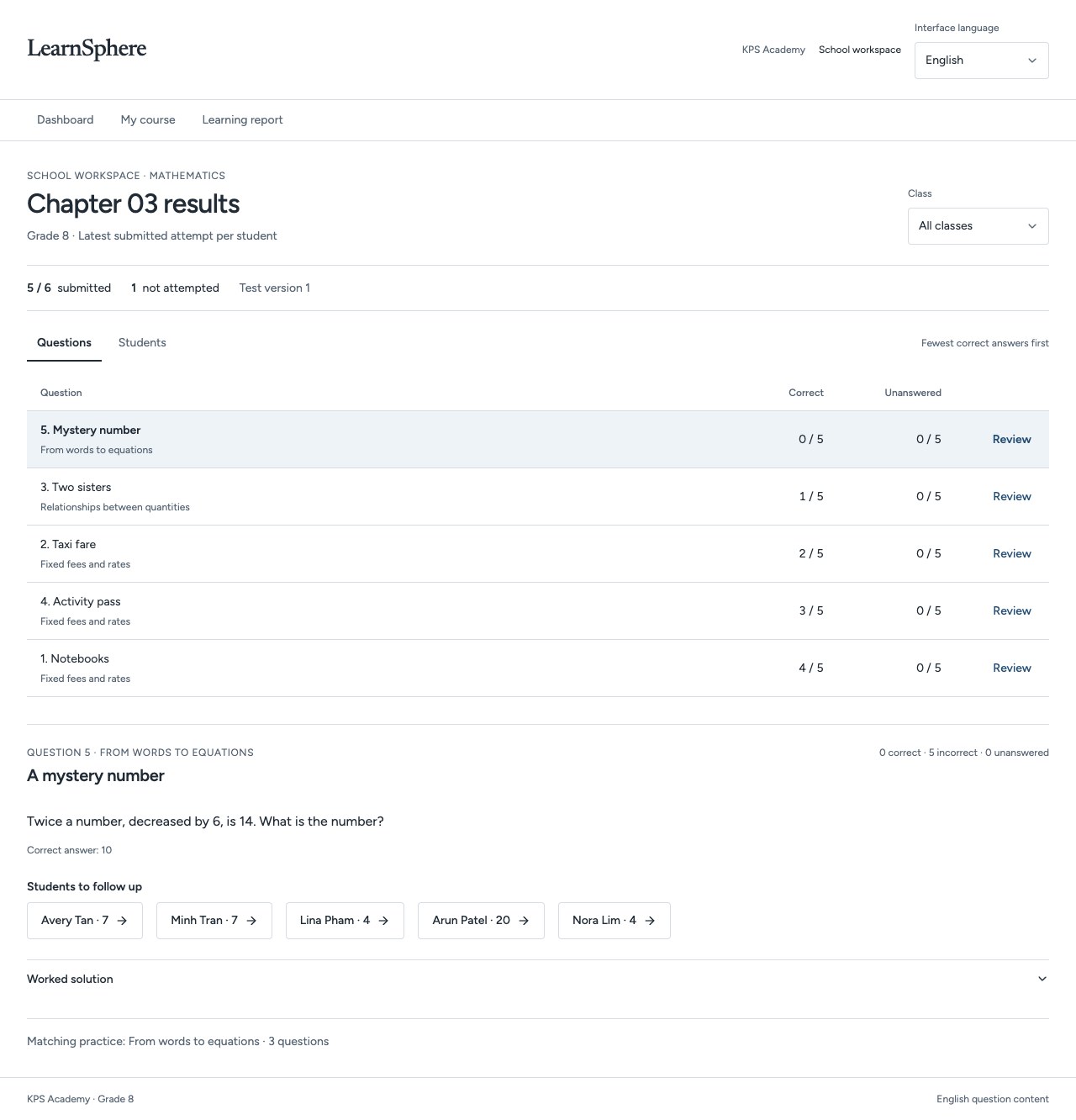
See where a class needs help.
The educator workspace orders questions by correct responses and identifies learners to follow up.
Choose a question, inspect its responses and plan the next classroom explanation.
Explore the full screen ↗
For institutions / For educational institutions
Define a suitable implementation scope around your learners, curriculum, languages and operational requirements.
Explore the full screen ↗Actual development preview · Fictional sample data · English interface
Inside LearnSphere
Review the development screens for learners and education staff, with an explanation of each workflow.
Explore the full screen ↗The educator workspace orders questions by correct responses and identifies learners to follow up.
Choose a question, inspect its responses and plan the next classroom explanation.
 Explore the full screen ↗
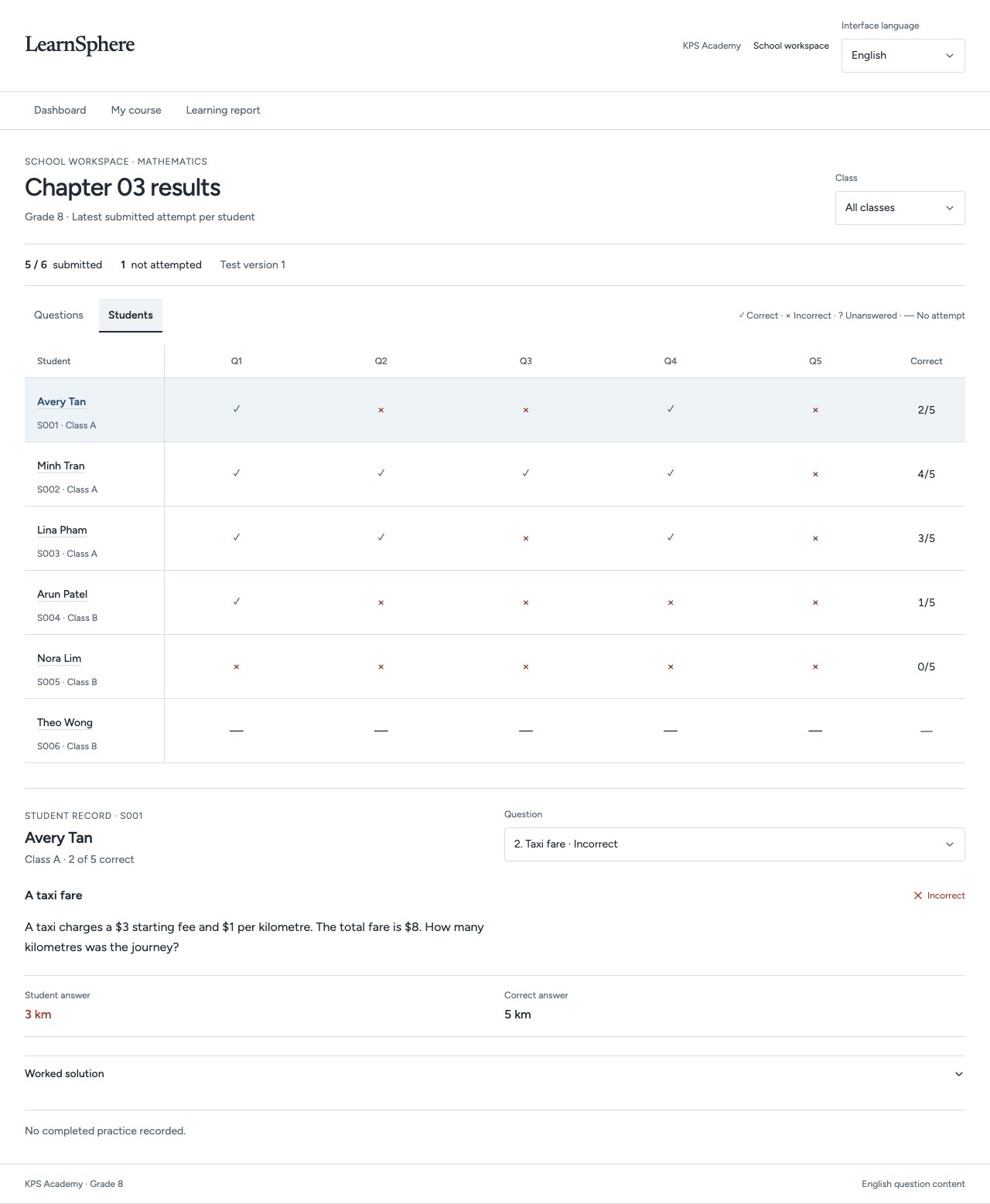
Switch to the student view to inspect submitted answers and distinguish missing attempts.
A class-level view leads to a specific learner and a specific follow-up.
 Explore the full screen ↗
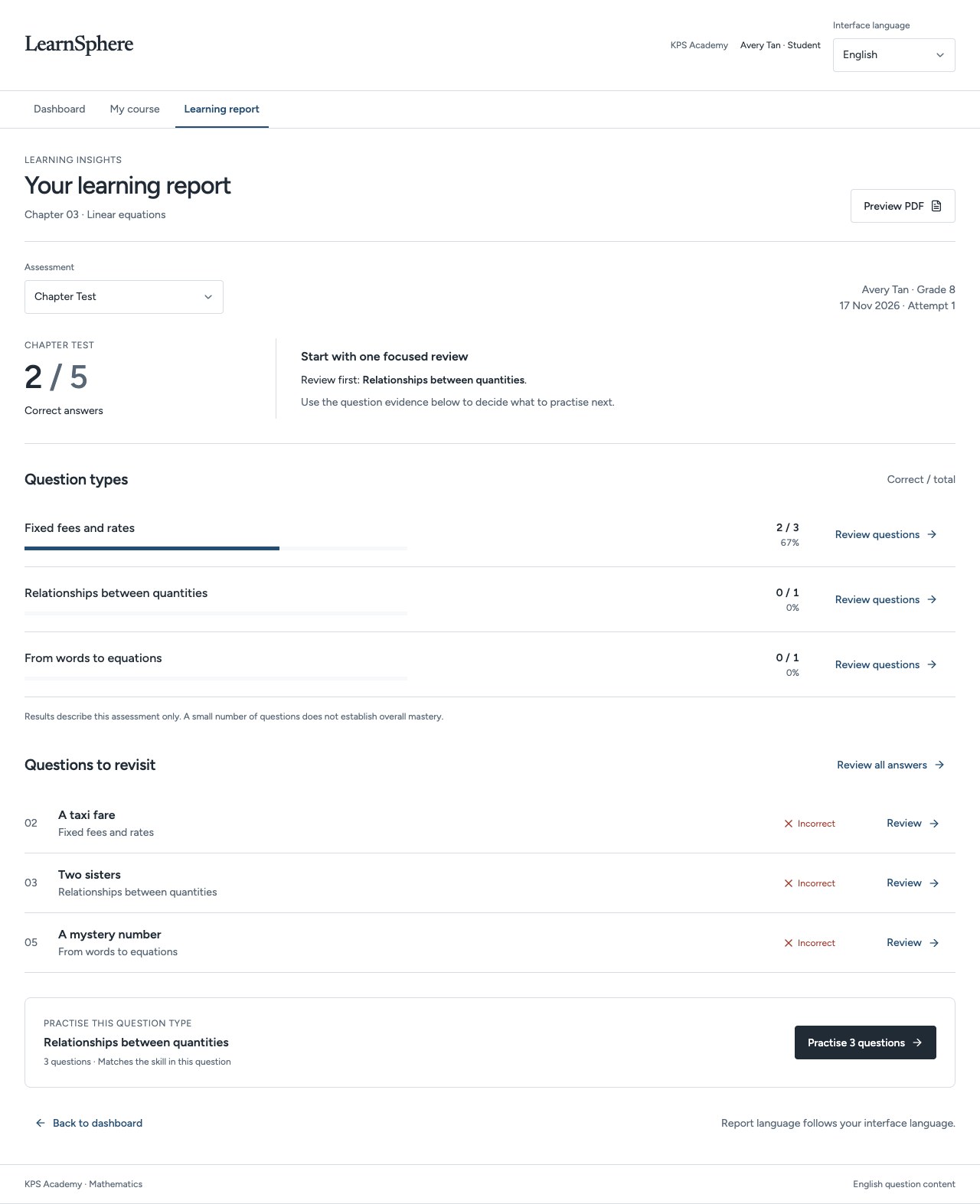
The learning report brings question types, answers to revisit and a suggested practice set together.
Educators can discuss the evidence from this assessment with the learner.
Explore the full screen ↗Explore the full screen ↗Explore the full screen ↗Actual development preview · Fictional sample data · English interface
01The educator workspace orders questions by correct responses and identifies learners to follow up.
02Switch to the student view to inspect submitted answers and distinguish missing attempts.
03The learning report brings question types, answers to revisit and a suggested practice set together.