One assessment. Three ways to focus.
Switch between one question, a question paper and a continuous view. Answers and remaining time stay with the same attempt.
Watch the guide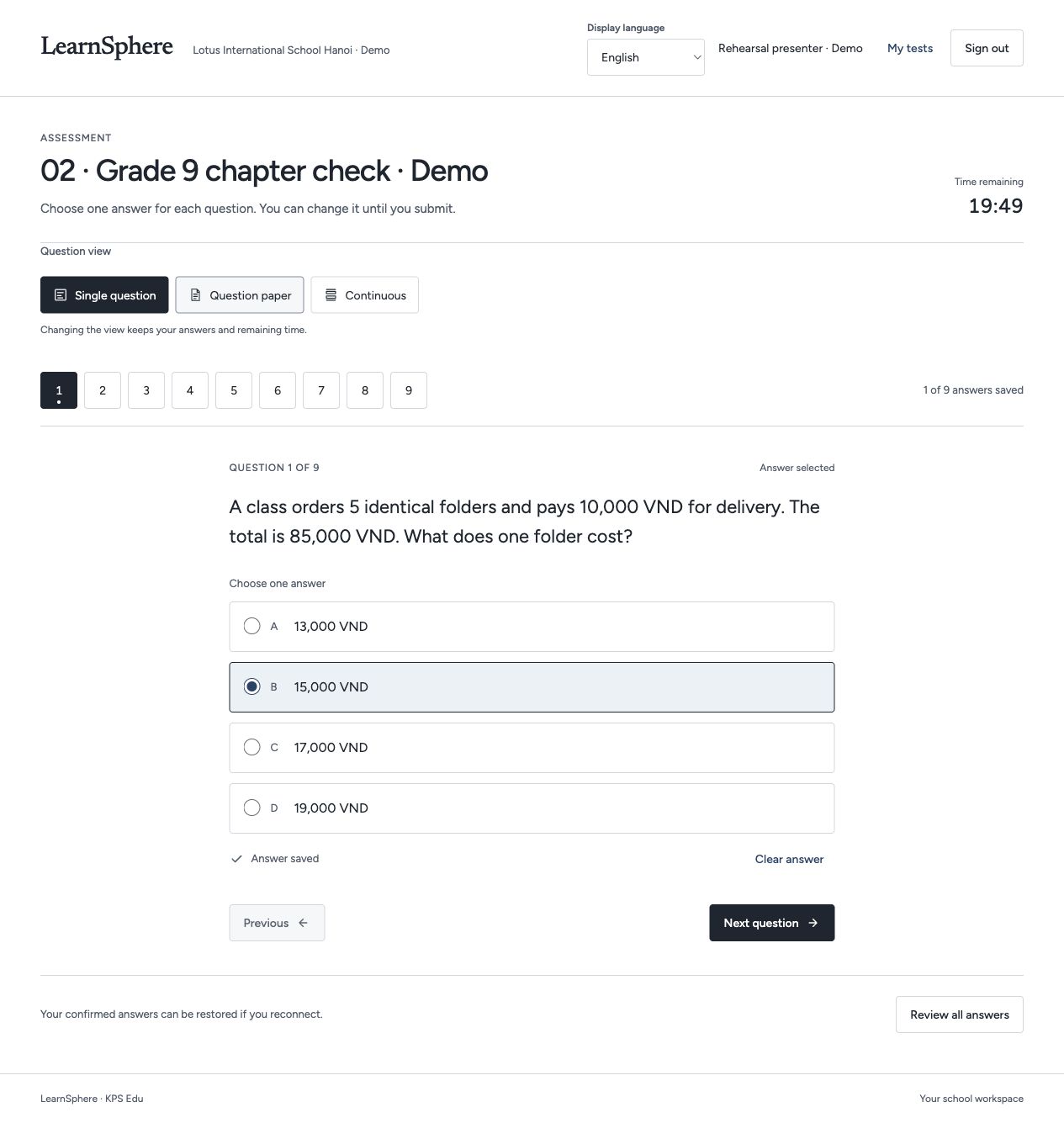
Features / Teaching support
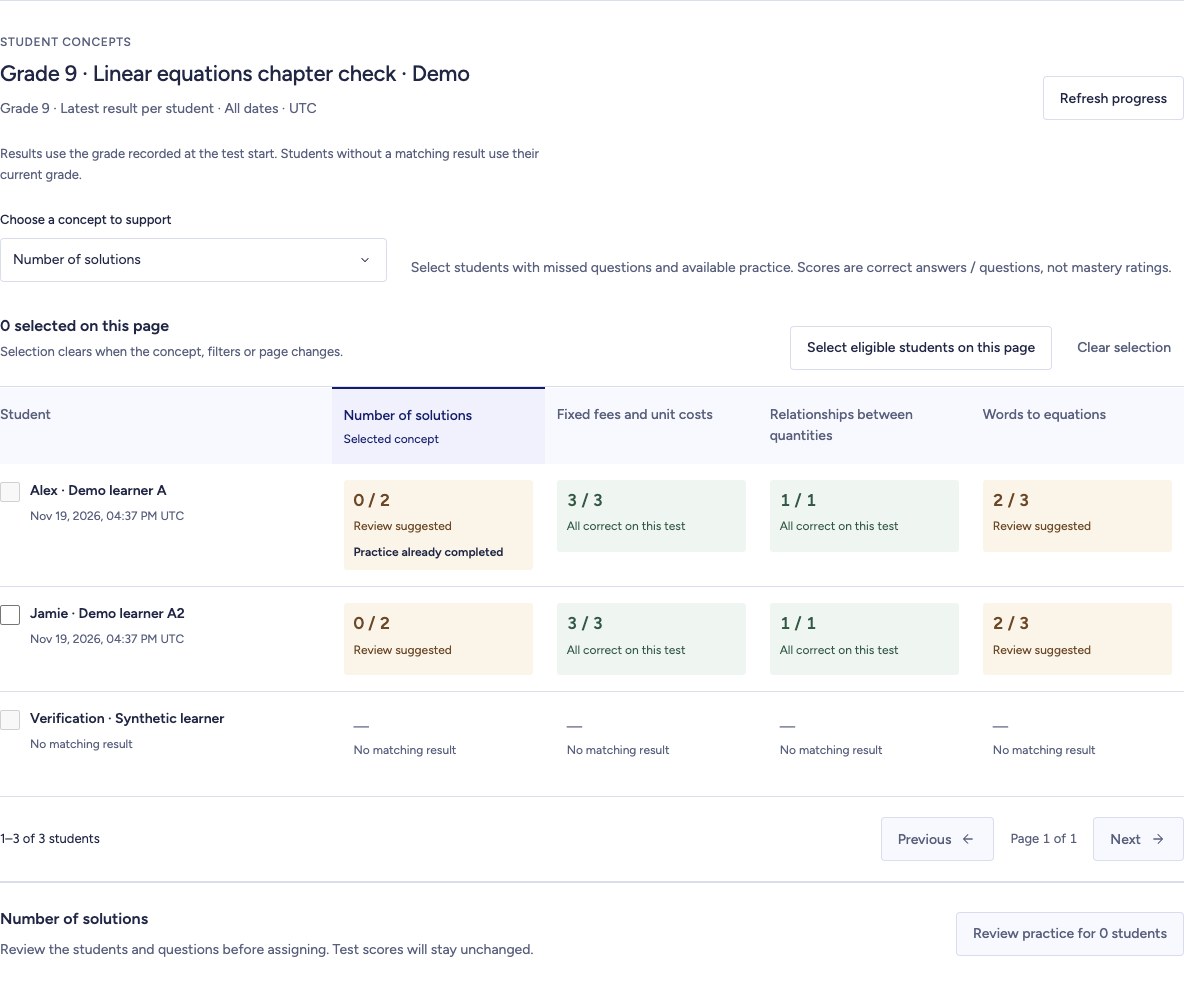
Help authorised educators choose whom to support, review the questions and follow each assignment through to completion.
LEARNING, CONNECTED
Follow one learning journey, from the first question to a teacher’s next action.
Switch between one question, a question paper and a continuous view. Answers and remaining time stay with the same attempt.
Watch the guideReleased results highlight concepts to revisit. A missing result is shown separately from an incorrect answer.
Watch the guide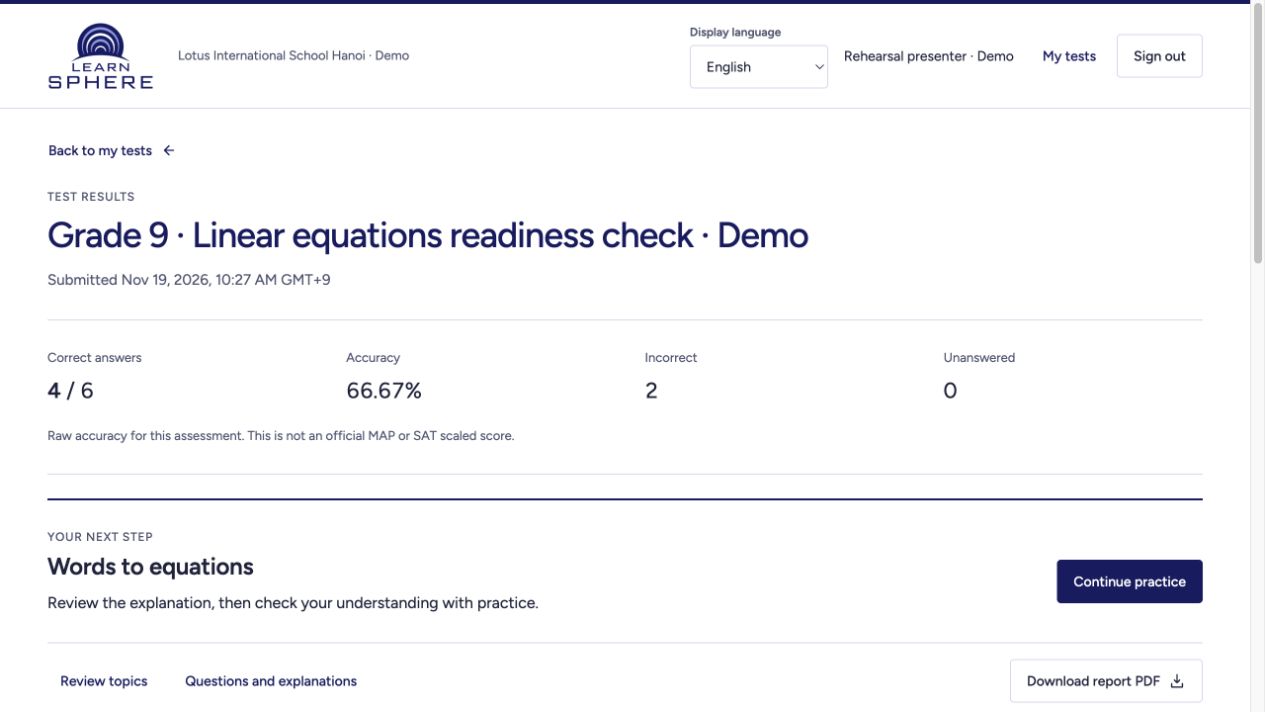
Open the linked segment of an assigned, published lesson. Read along, compare available transcripts and select a sentence to seek.
Watch the guide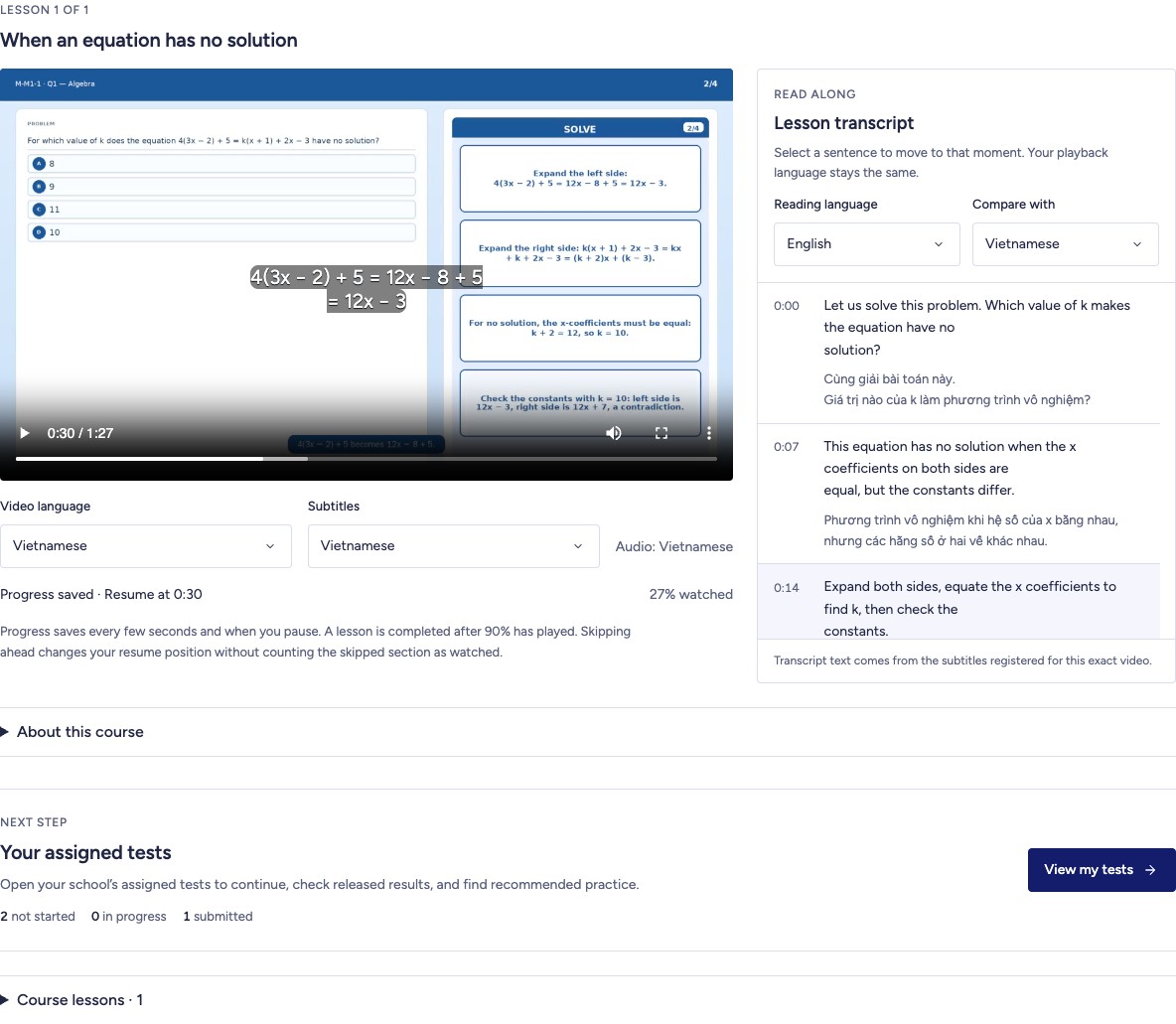
Continue a related practice set from your report. Practice progress is tracked separately from the original test score.
Watch the guide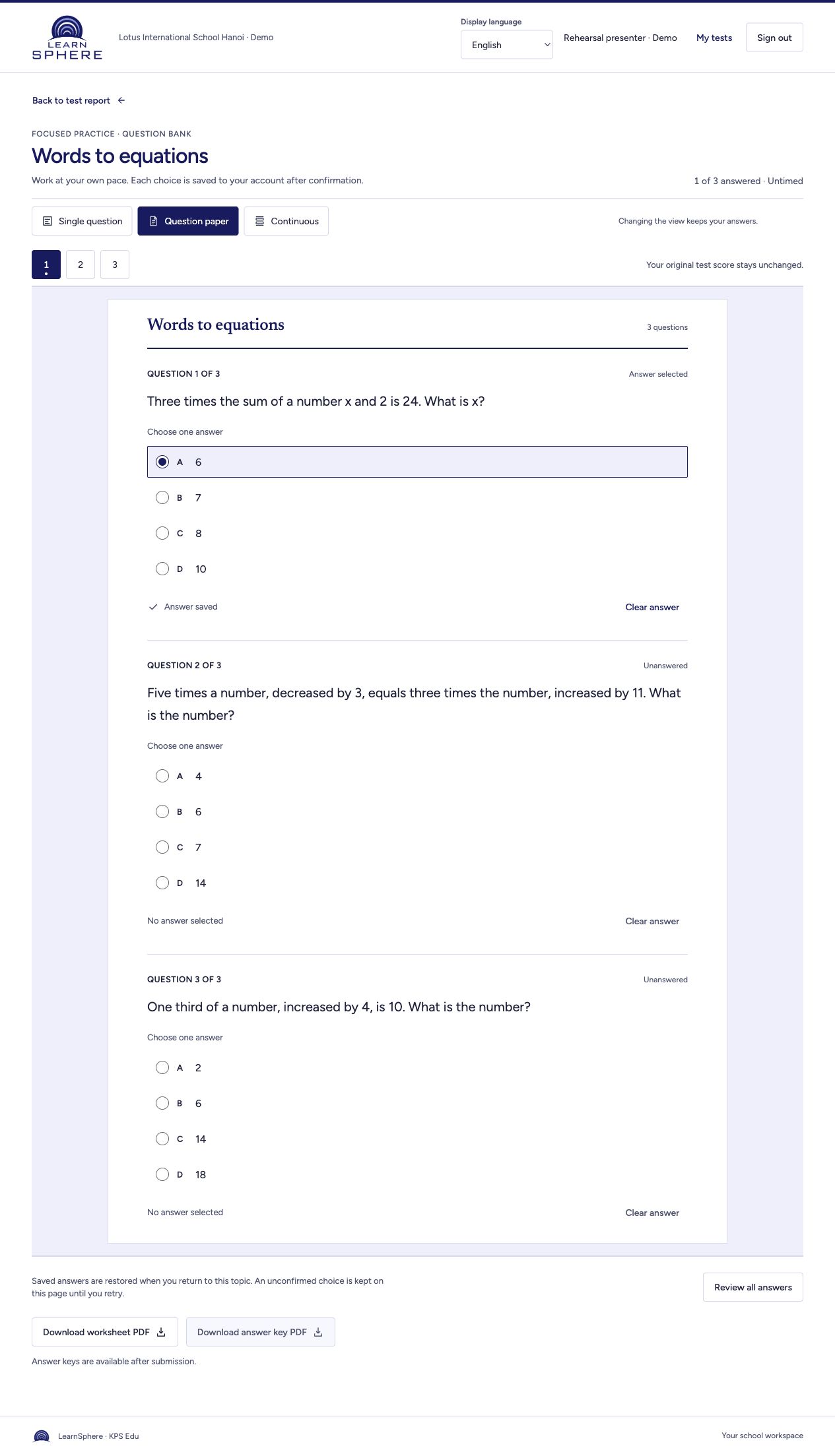
Review student-by-concept results, preview suitable questions and assign focused practice. Return to check progress.
Watch the guideInteractive walkthrough · Changes here are not saved to learner accounts.
Discuss this workflow for your institution ↗Compare the latest released results within the selected assessment version and grade. No result remains distinct from zero correct answers.
Choose a concept and eligible learners, then preview the questions before confirming. Existing practice progress is retained.
Assigned practice appears in the learner workspace. Educators can refresh the view to see progress and completion.
03 / Teaching support
Interactive walkthrough · Changes here are not saved to learner accounts.
For which value of k does 4x + 2 = kx + 7 have no solution?
Choose a concept and eligible learners, then preview the questions before confirming. Existing practice progress is retained.
Available to authorised educators within their institution. KPS overview access does not include individual learner records.
Discuss this workflow for your institution ↗CURRENT PRODUCT WORKFLOWS
Review the current development workflows for course delivery, assessments, reporting and school administration.
App workflows · Reviewed 20 November 2026Recorded development screens · Illustrative data · English interface · Narration and captions in four languages. Pilot scope and production availability are agreed with each institution.