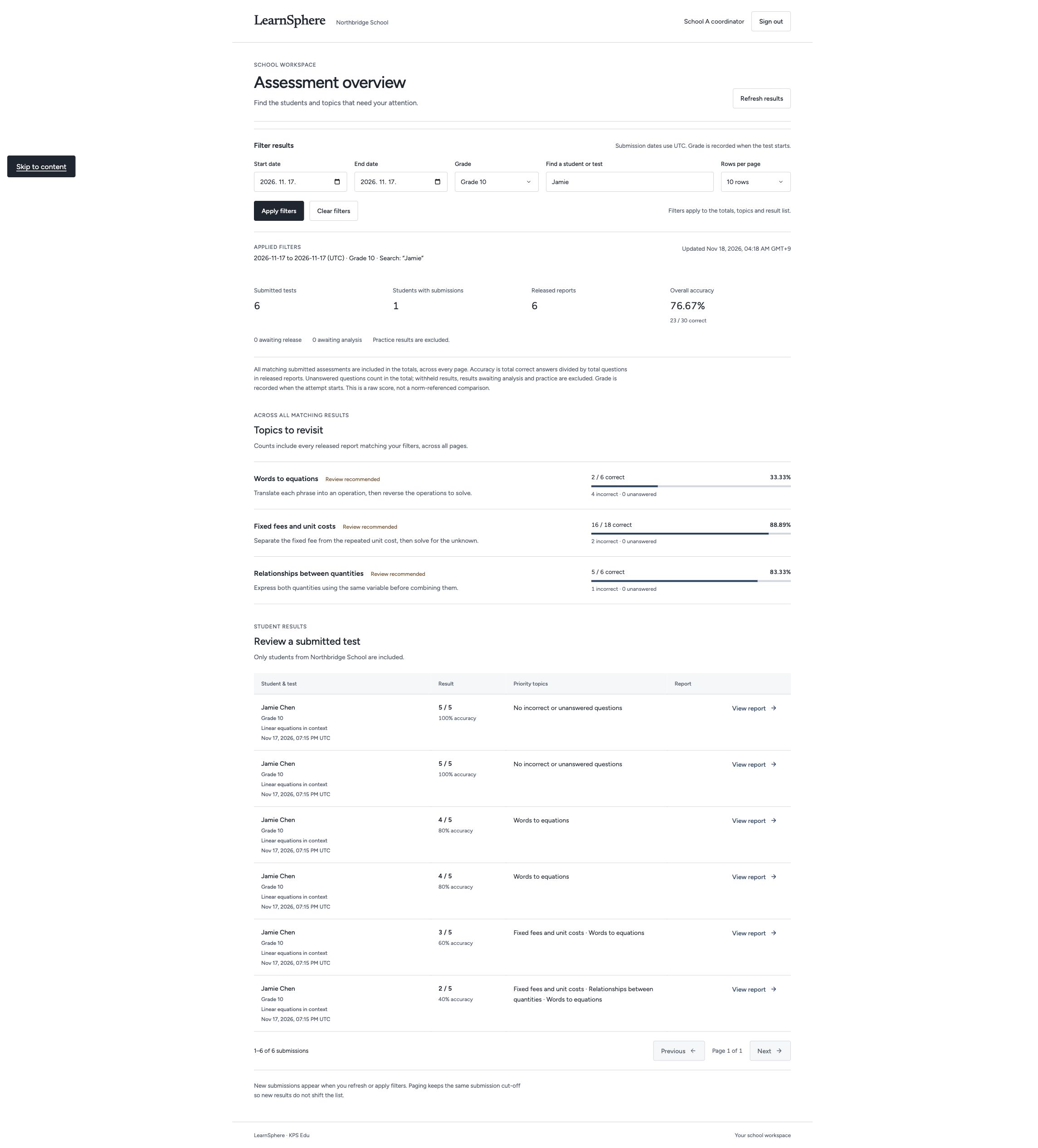
Use participation, assessment results and group comparisons to plan follow-up teaching.
- Review school results
- Compare equivalent groups
- Save reporting filters
Features / Insights & reports
Review participation, question-level results and comparable student groups to inform teaching decisions.
 Explore the full screen ↗
Actual development preview · Fictional sample data · English interface
CURRENT PRODUCT WORKFLOWS
Review the current development workflows for course delivery, assessments, reporting and school administration.
App workflows · Reviewed 20 November 2026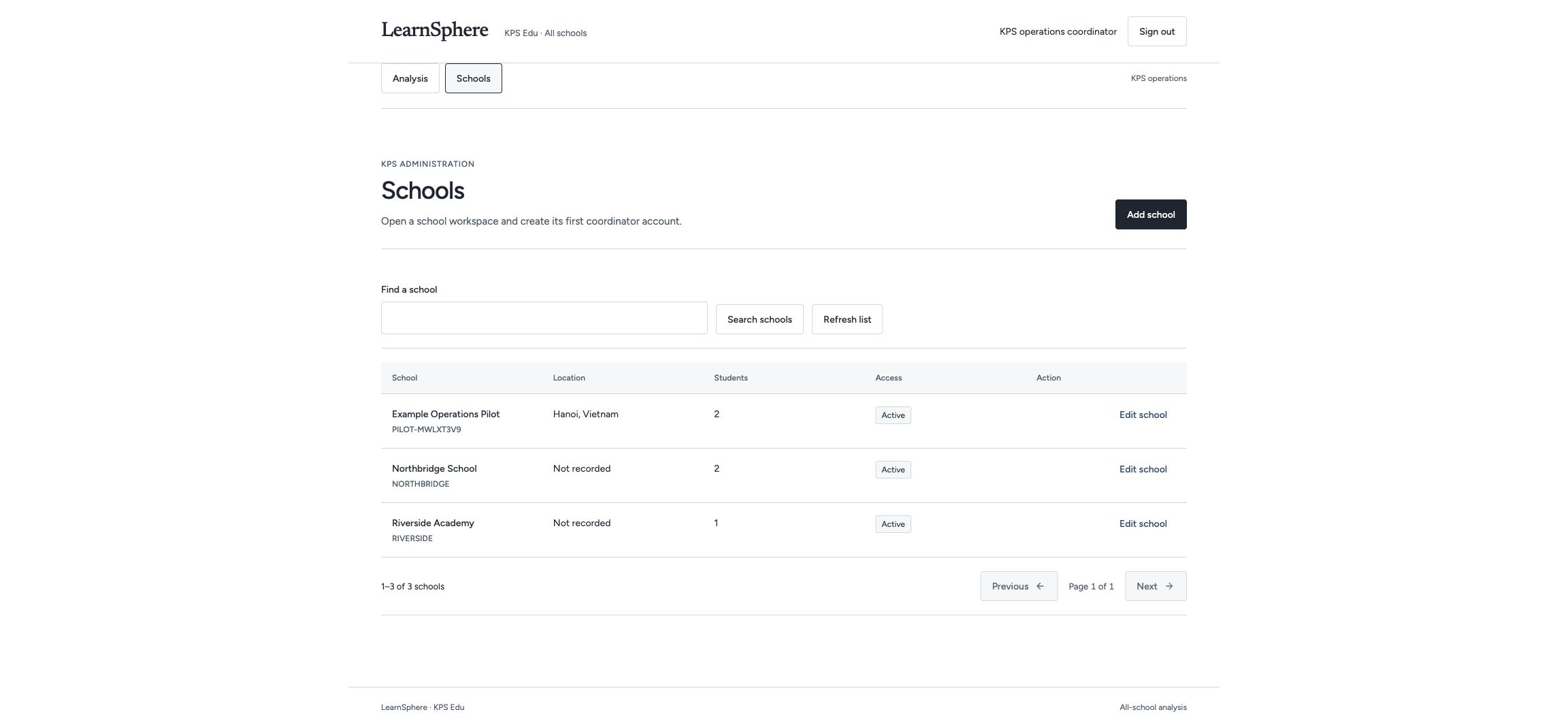
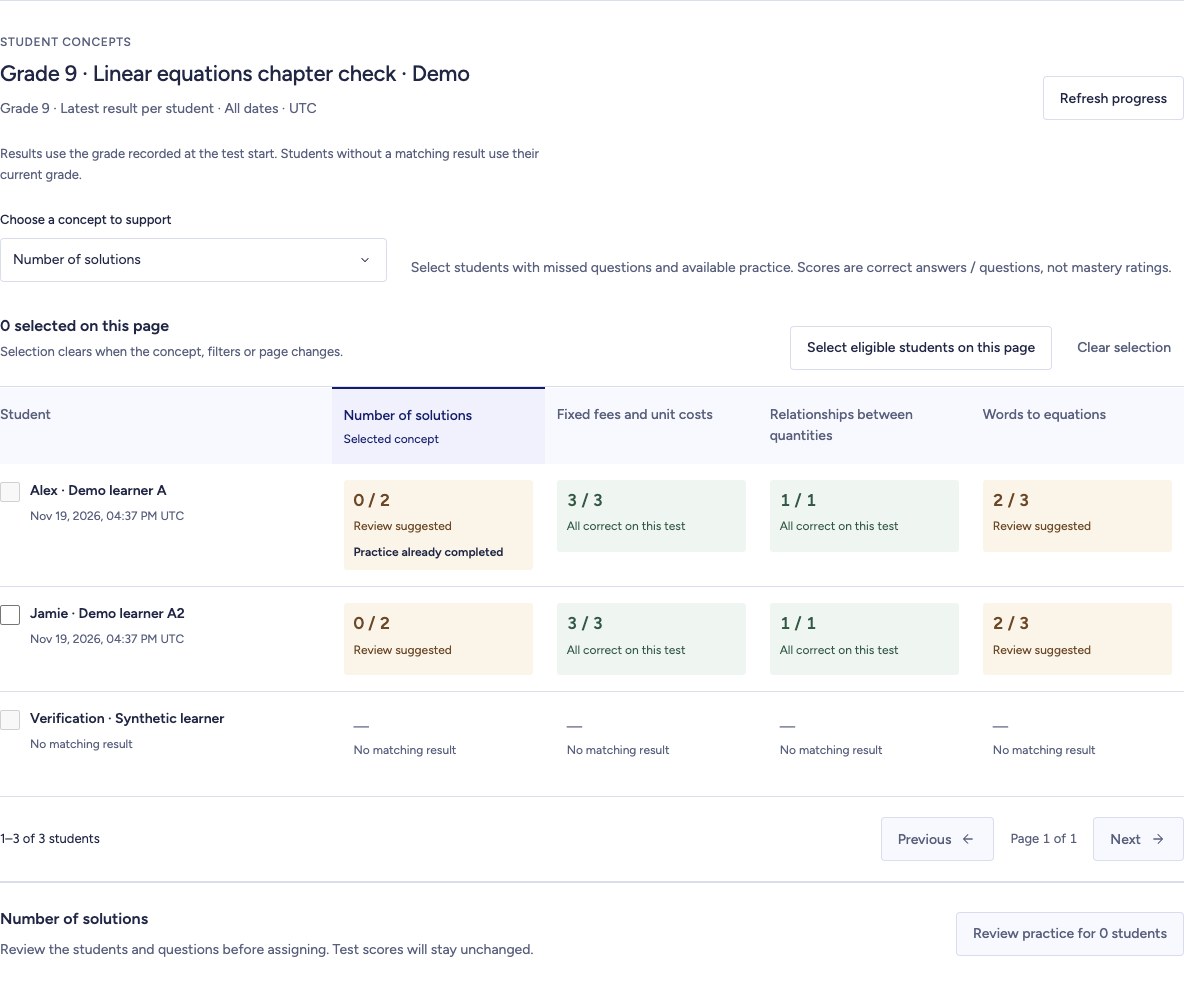
Recorded development screens · Illustrative data · English interface · Narration and captions in four languages. Pilot scope and production availability are agreed with each institution.
Inside LearnSphere
Review the development screens for learners and education staff, with an explanation of each workflow.
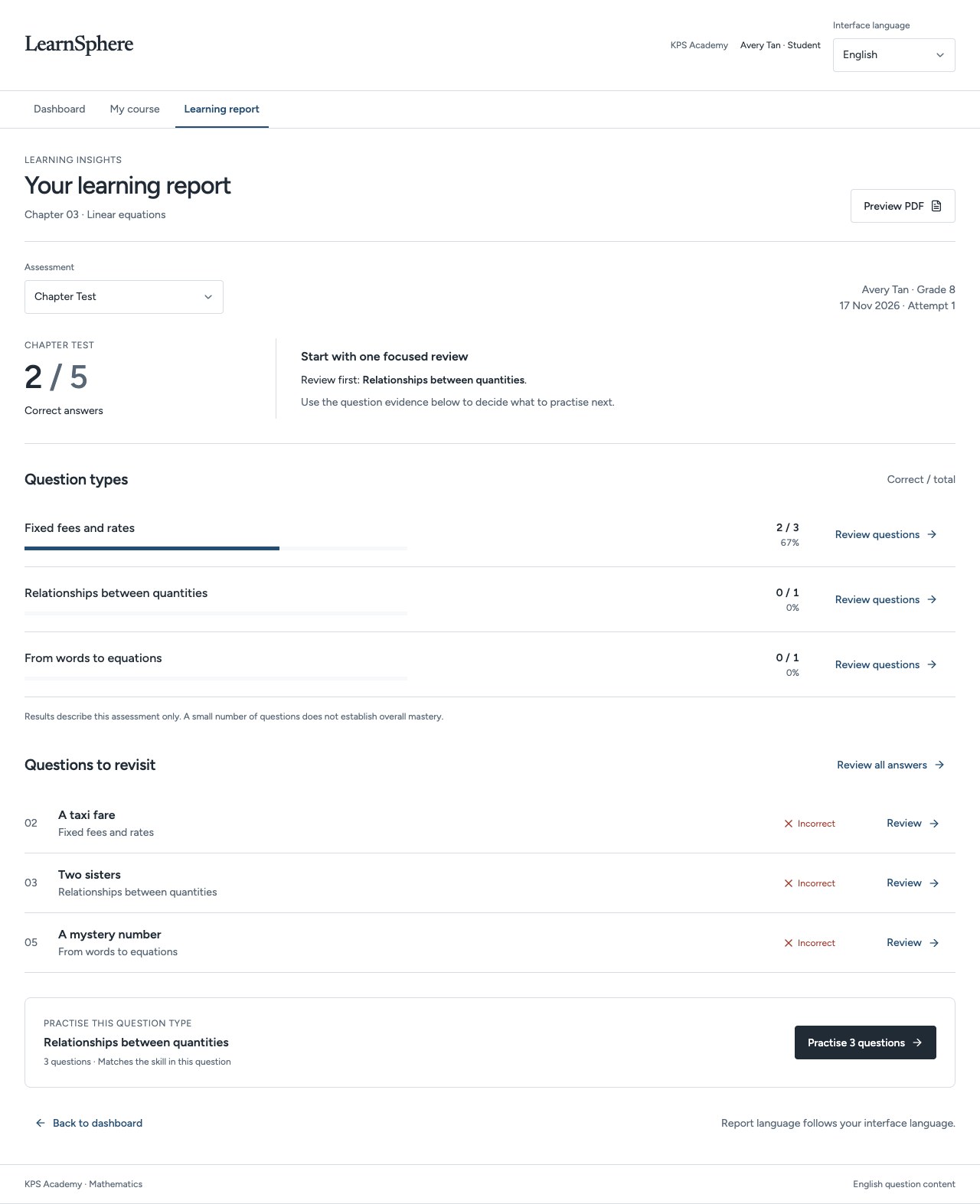
Explore the full screen ↗The learning report brings question types, answers to revisit and a suggested practice set together.
Educators can discuss the evidence from this assessment with the learner.
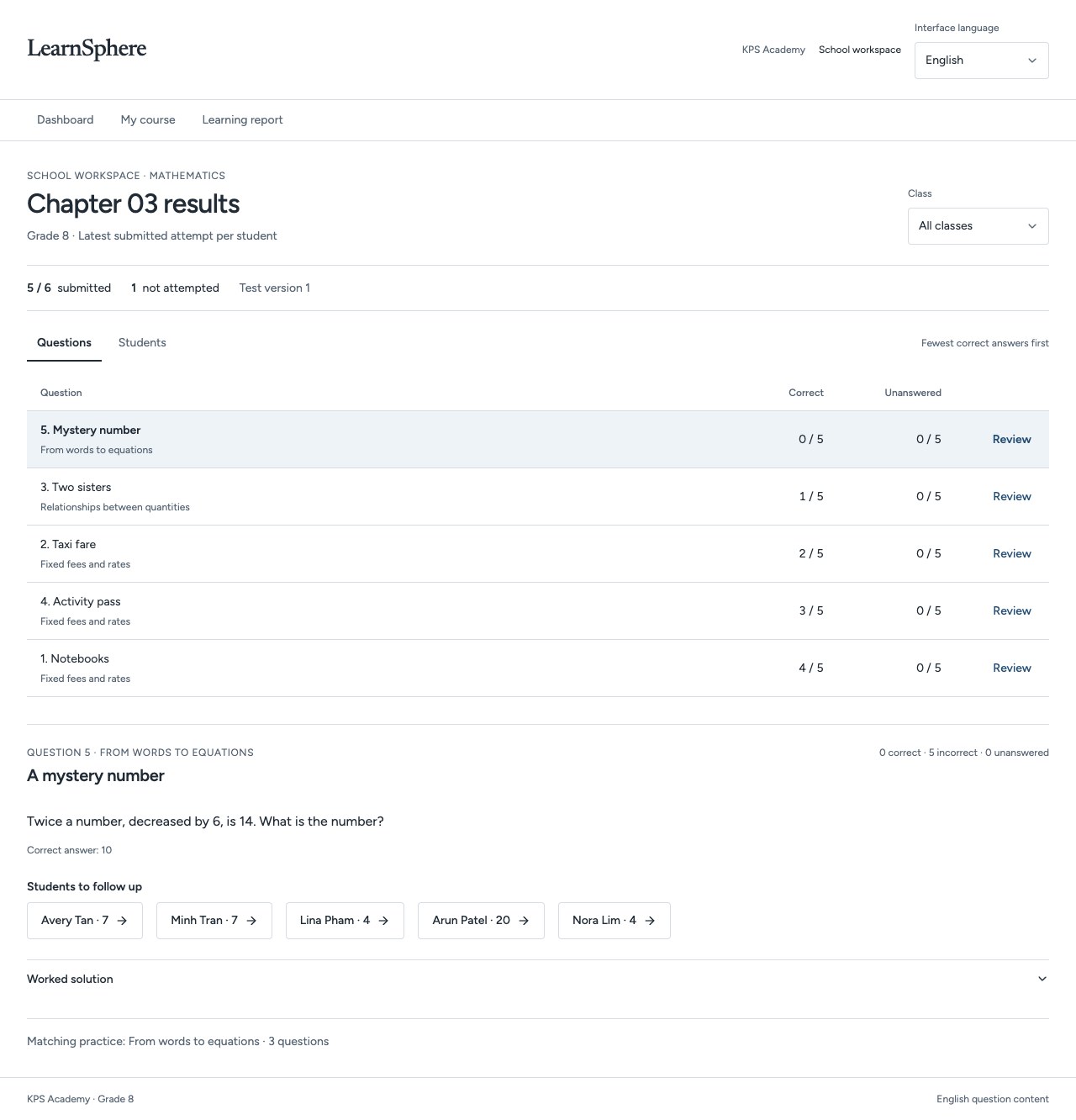 Explore the full screen ↗
The educator workspace orders questions by correct responses and identifies learners to follow up.
Choose a question, inspect its responses and plan the next classroom explanation.
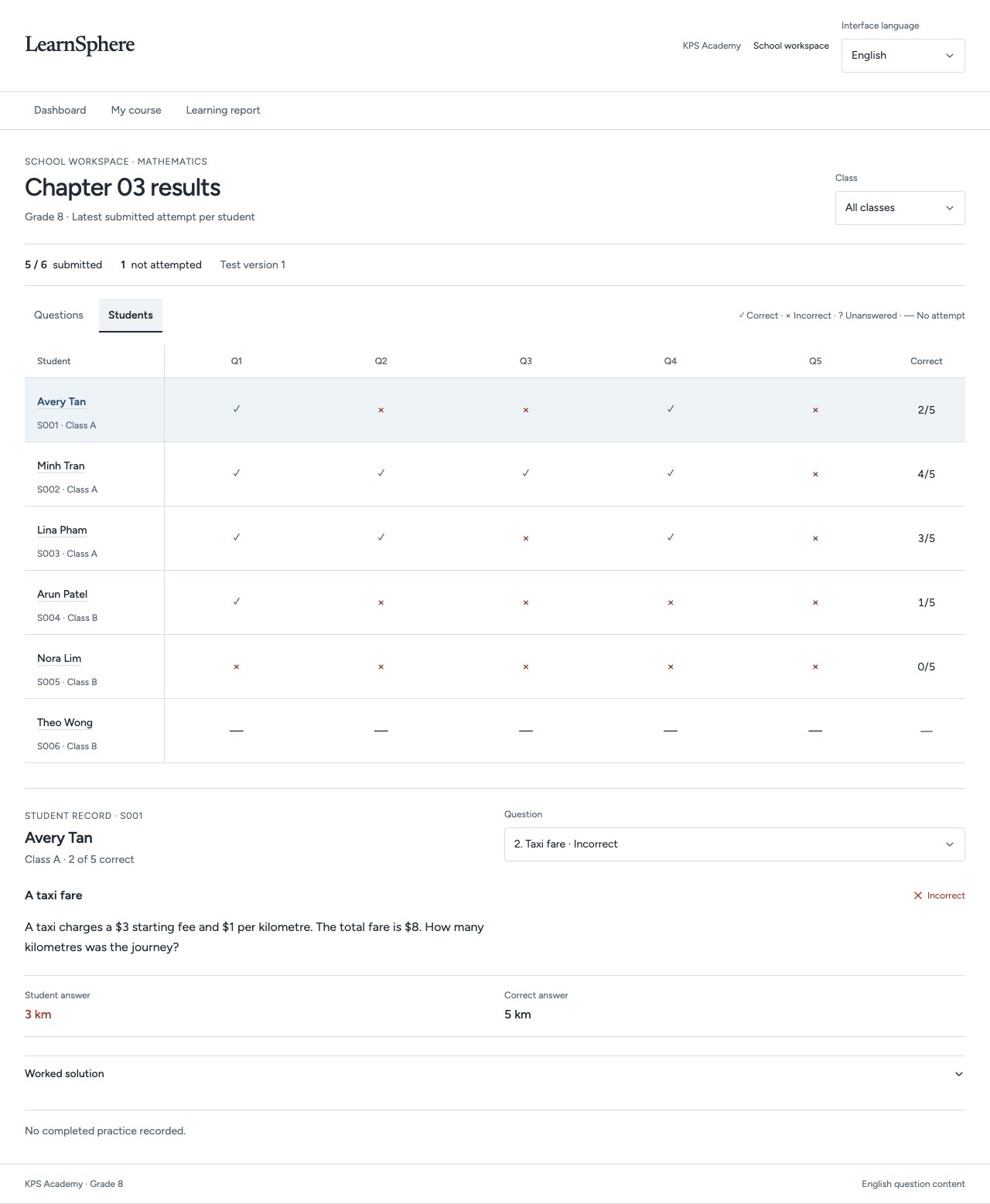 Explore the full screen ↗
Switch to the student view to inspect submitted answers and distinguish missing attempts.
A class-level view leads to a specific learner and a specific follow-up.
Inspect the result of each question and the skill it is intended to explore.
Use the pattern to ask what the learner understood and where they need support.
Choose a related topic or practice activity, then review the next response.
LearnSphere is in development. Product scope, curriculum, languages and availability are defined with each institutional partner.