Home / Feature overview Features / Feature overview
The details that make Review the current development workflows for learning, assessment, reporting and school administration.
01 / 04
Actual development preview · Fictional sample data · English interface
LEARNING, CONNECTED
A result is just Follow one learning journey, from the first question to a teacher’s next action.
01 Take a test02 Find a focus03 Watch the explanation04 Practise the concept05 Follow up together
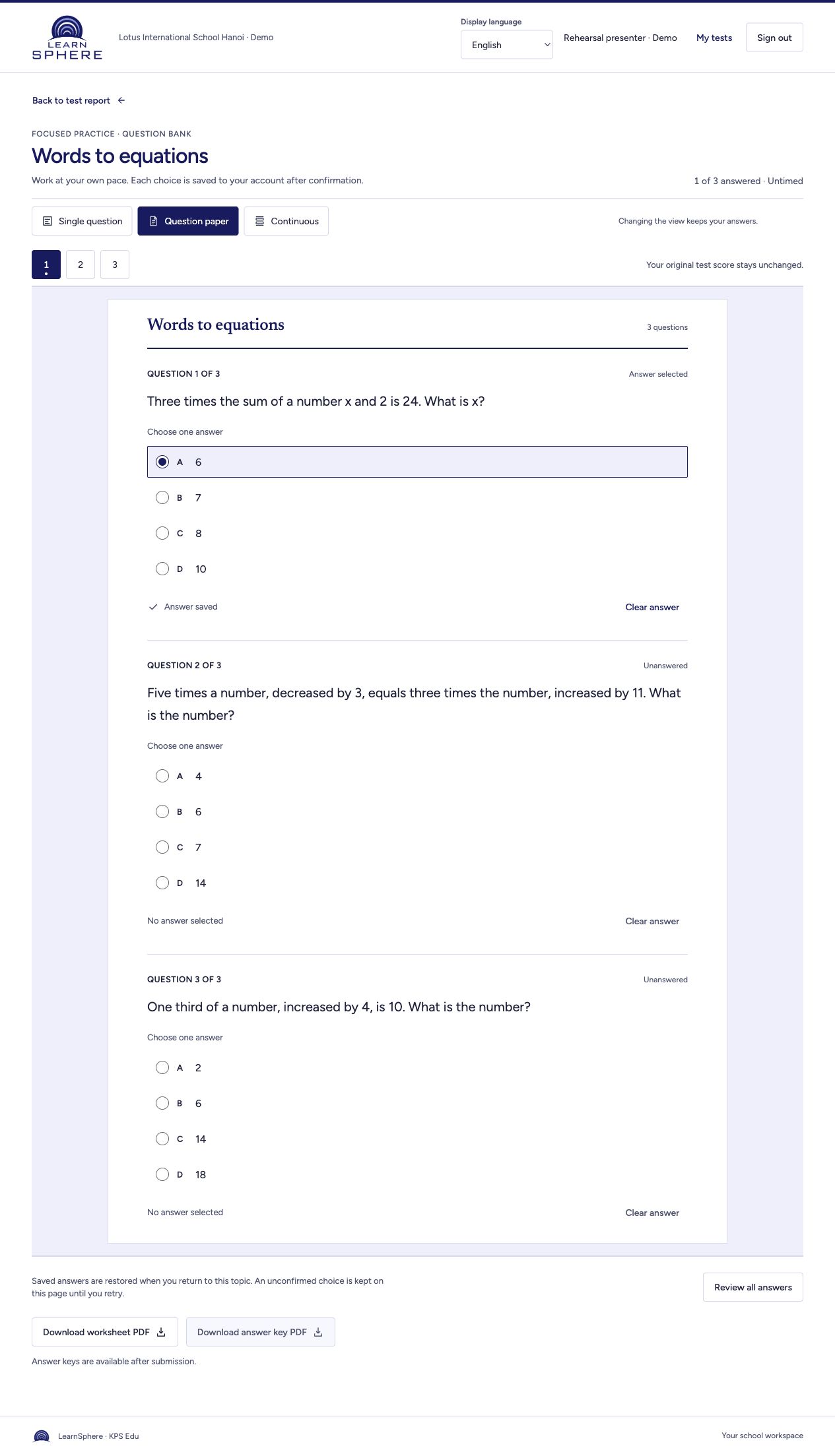
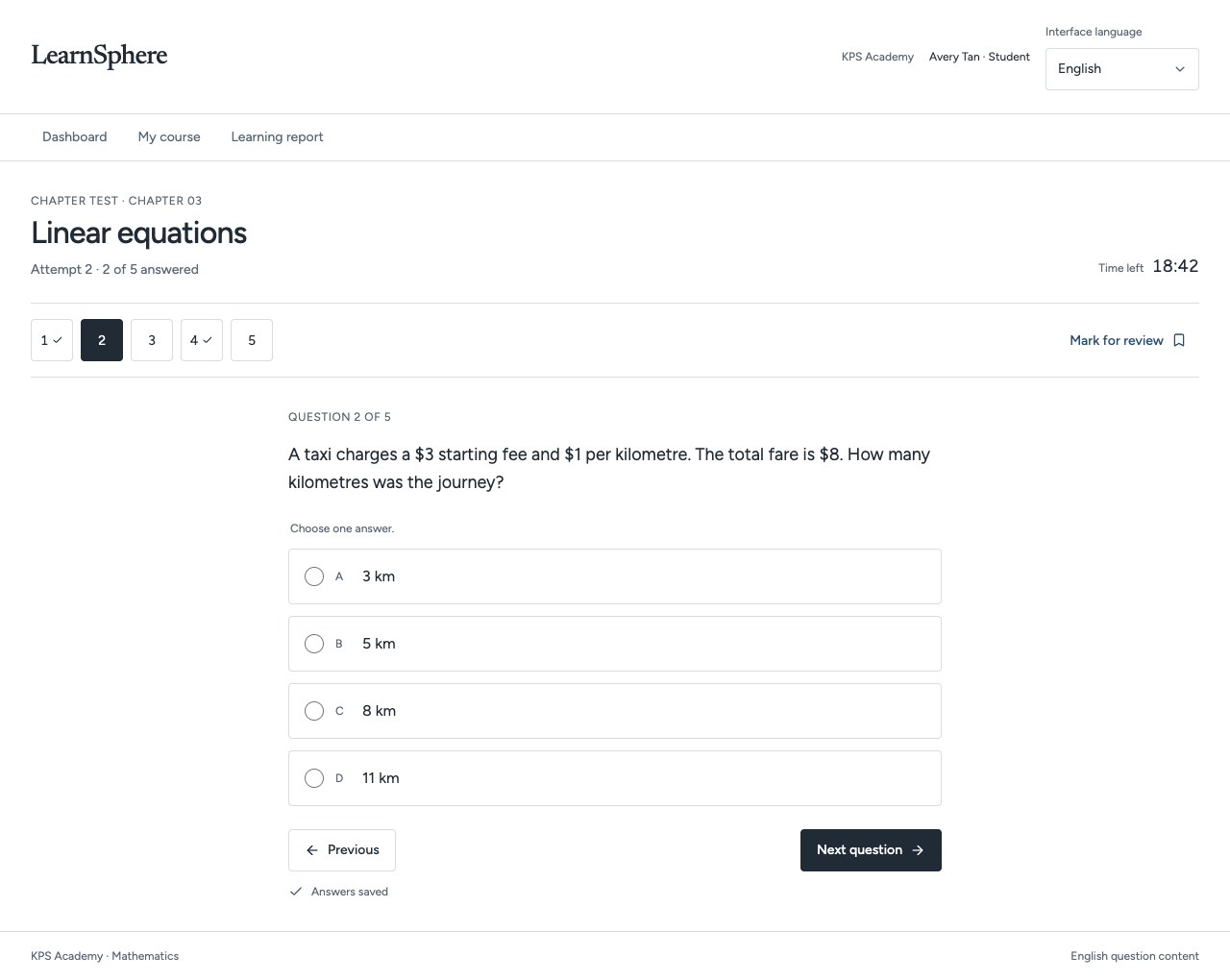
01 One assessment. Three ways to focus. Switch between one question, a question paper and a continuous view. Answers and remaining time stay with the same attempt.
Single question Question paper Continuous
Watch the guide↗ Next step →
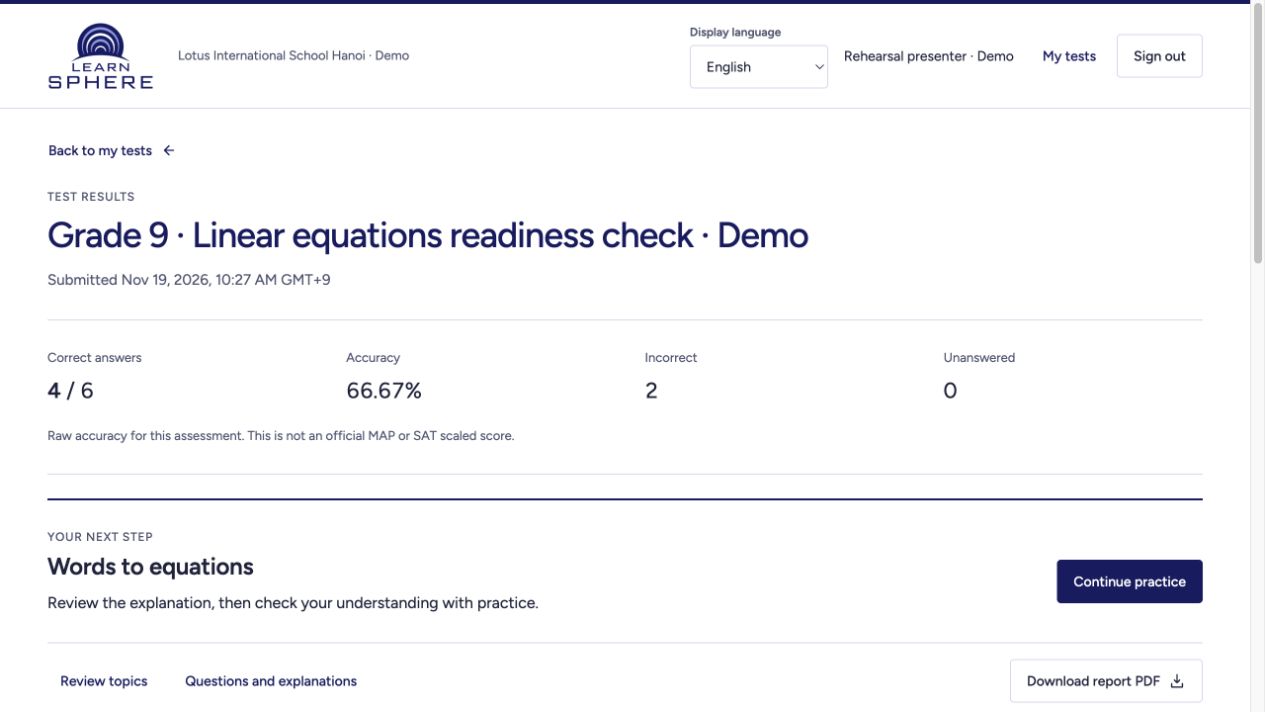
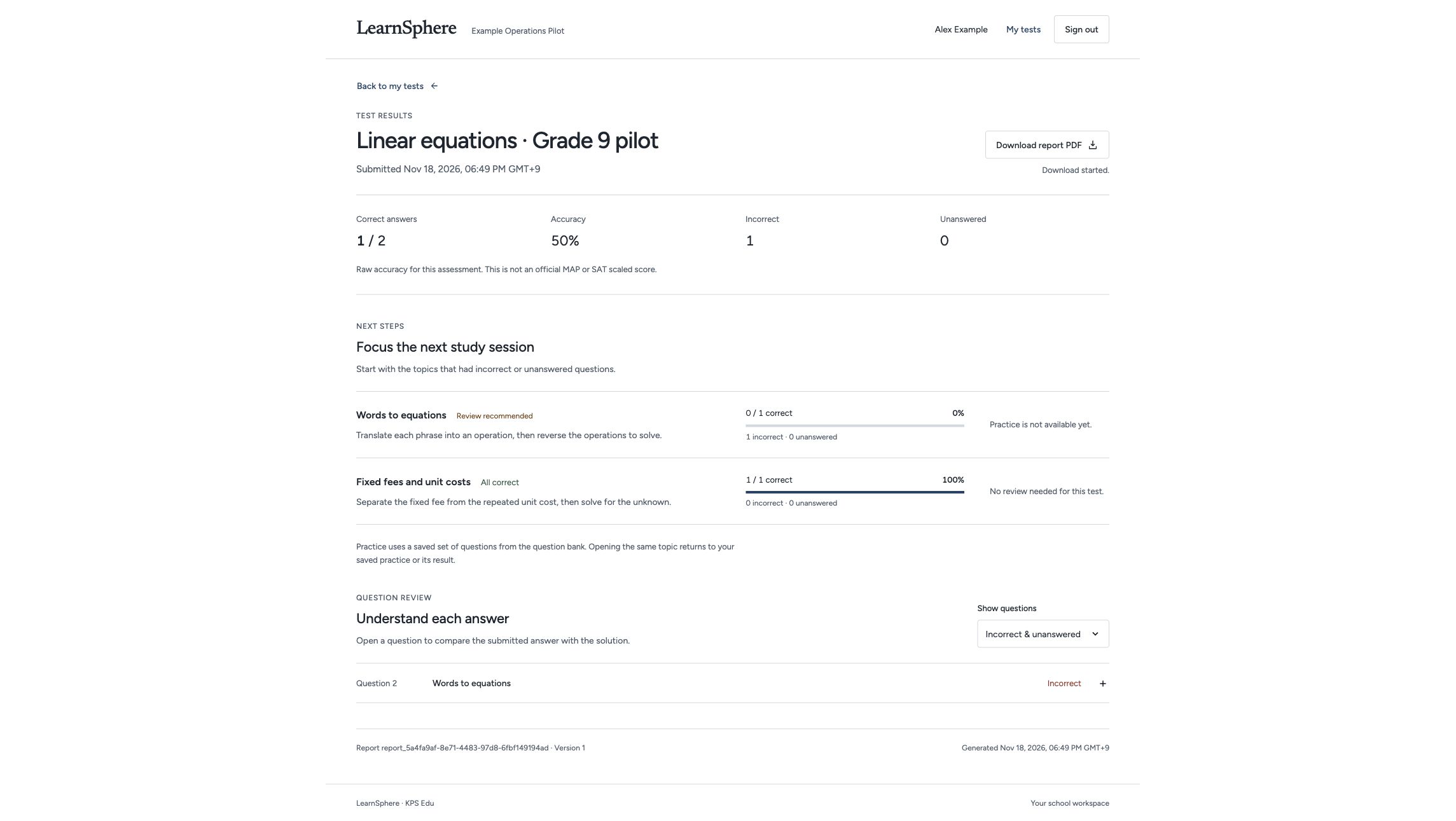
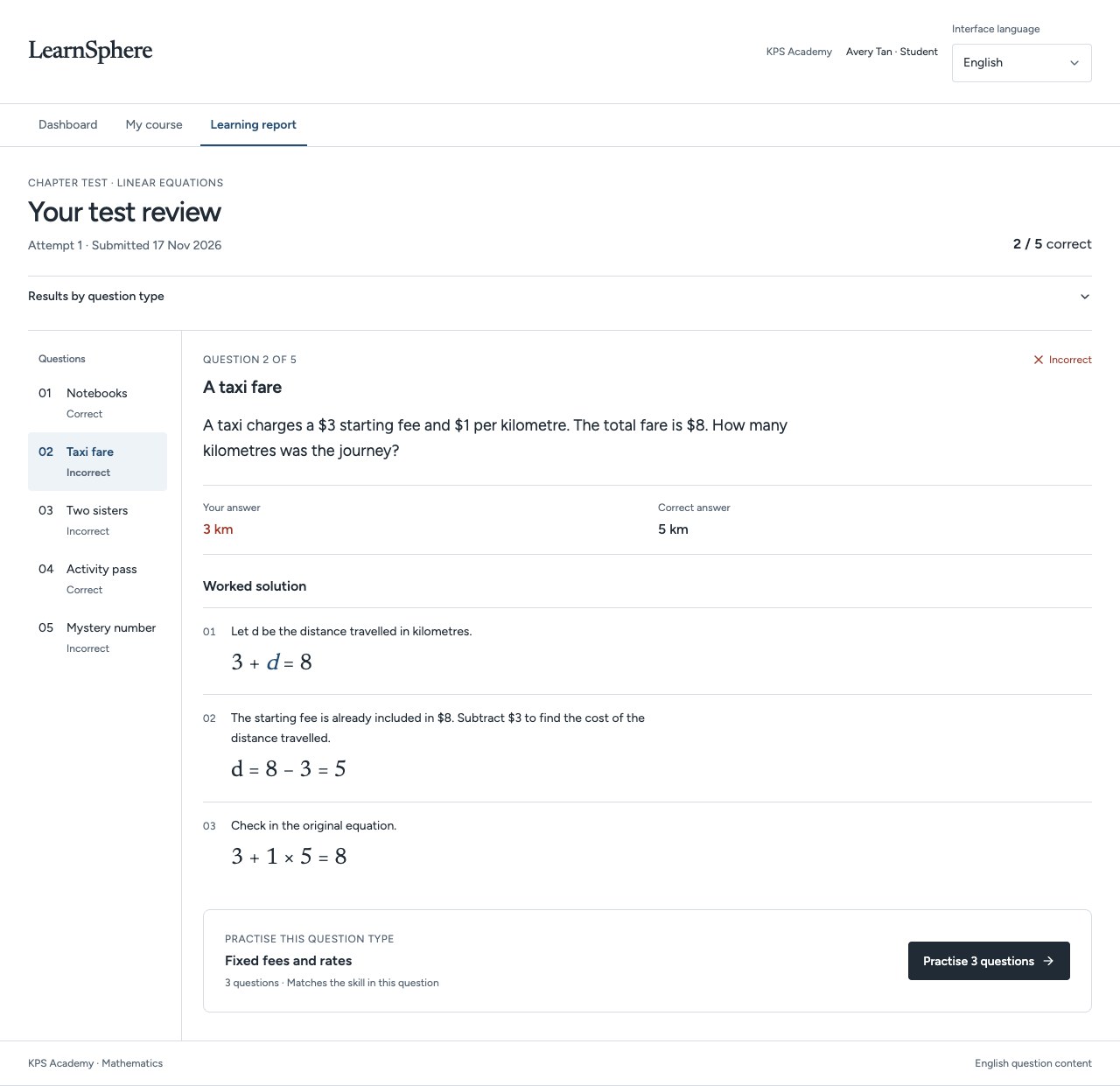
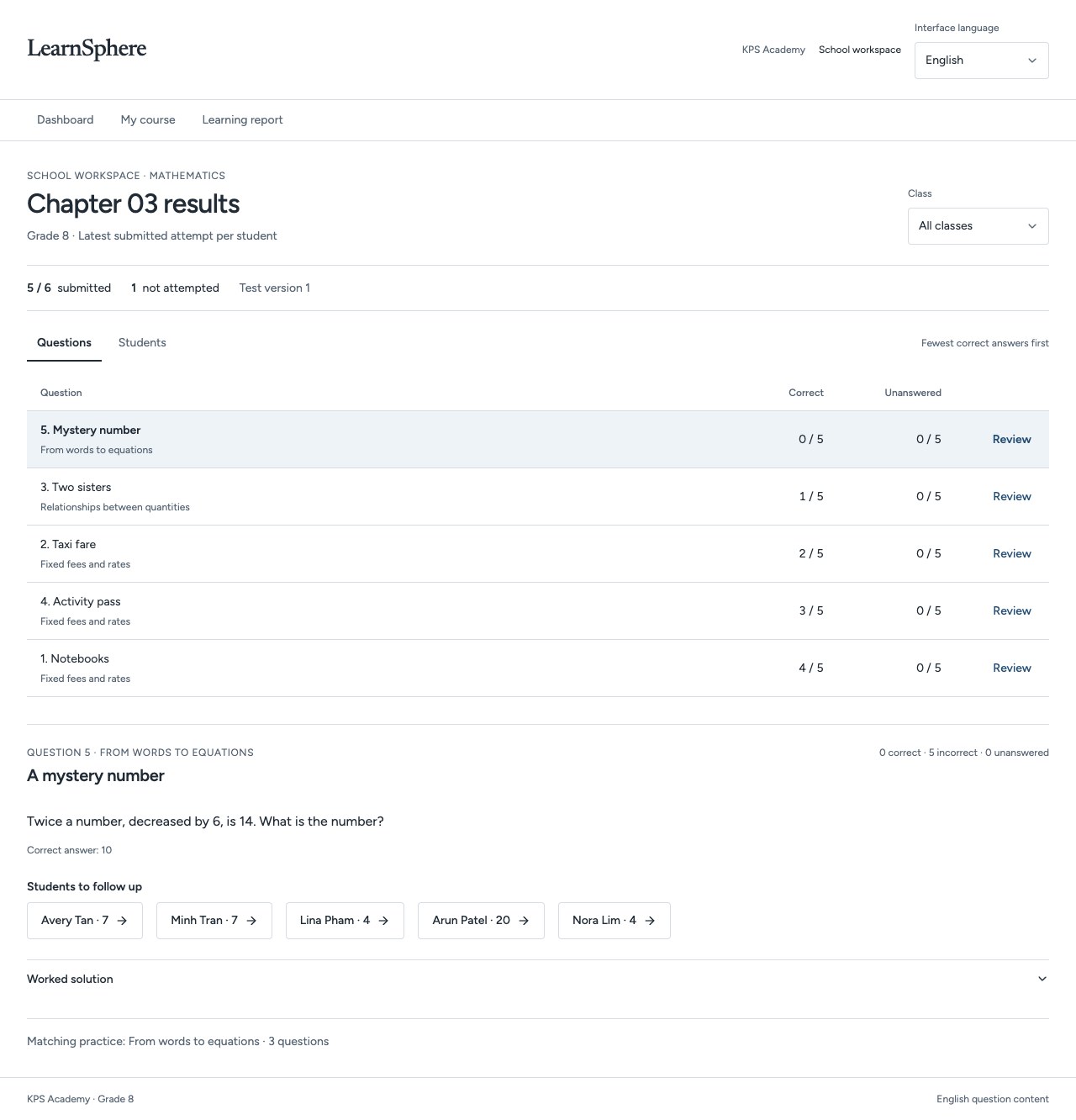
Actual app screens · Fictional demonstration data · English interface ↗ 02 Turn a result into a clear next step. Released results highlight concepts to revisit. A missing result is shown separately from an incorrect answer.
Watch the guide↗ ← Next step →
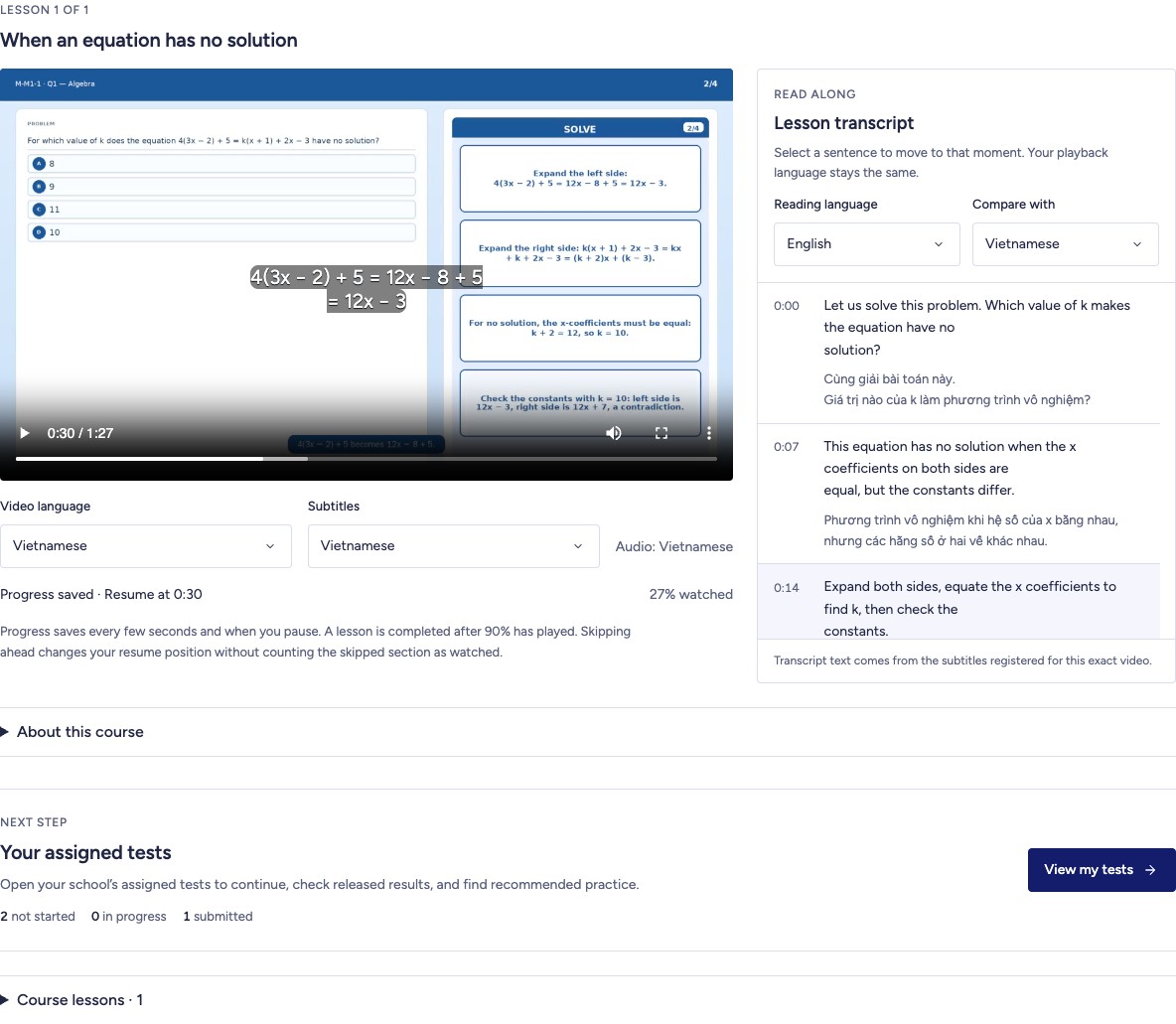
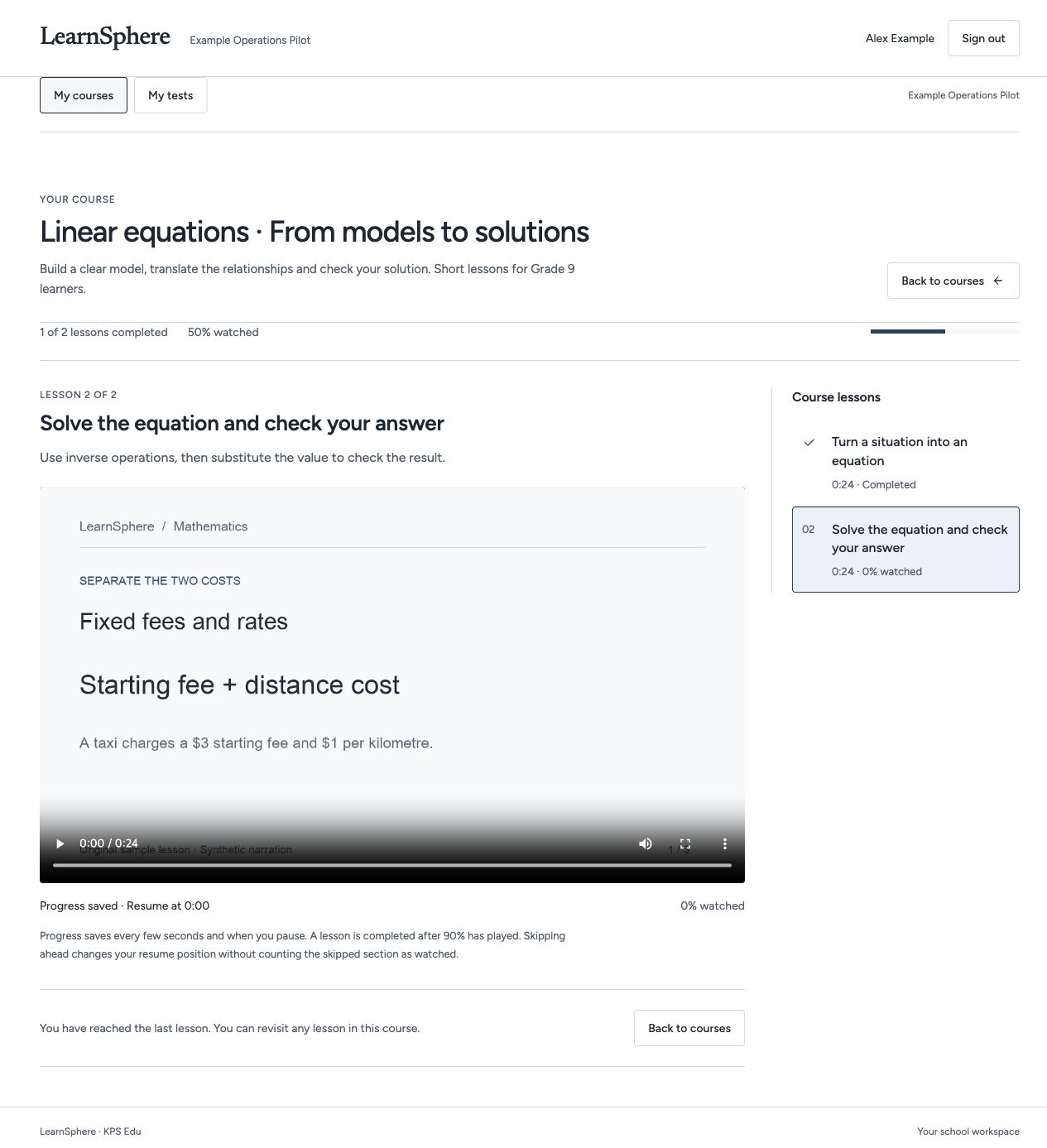
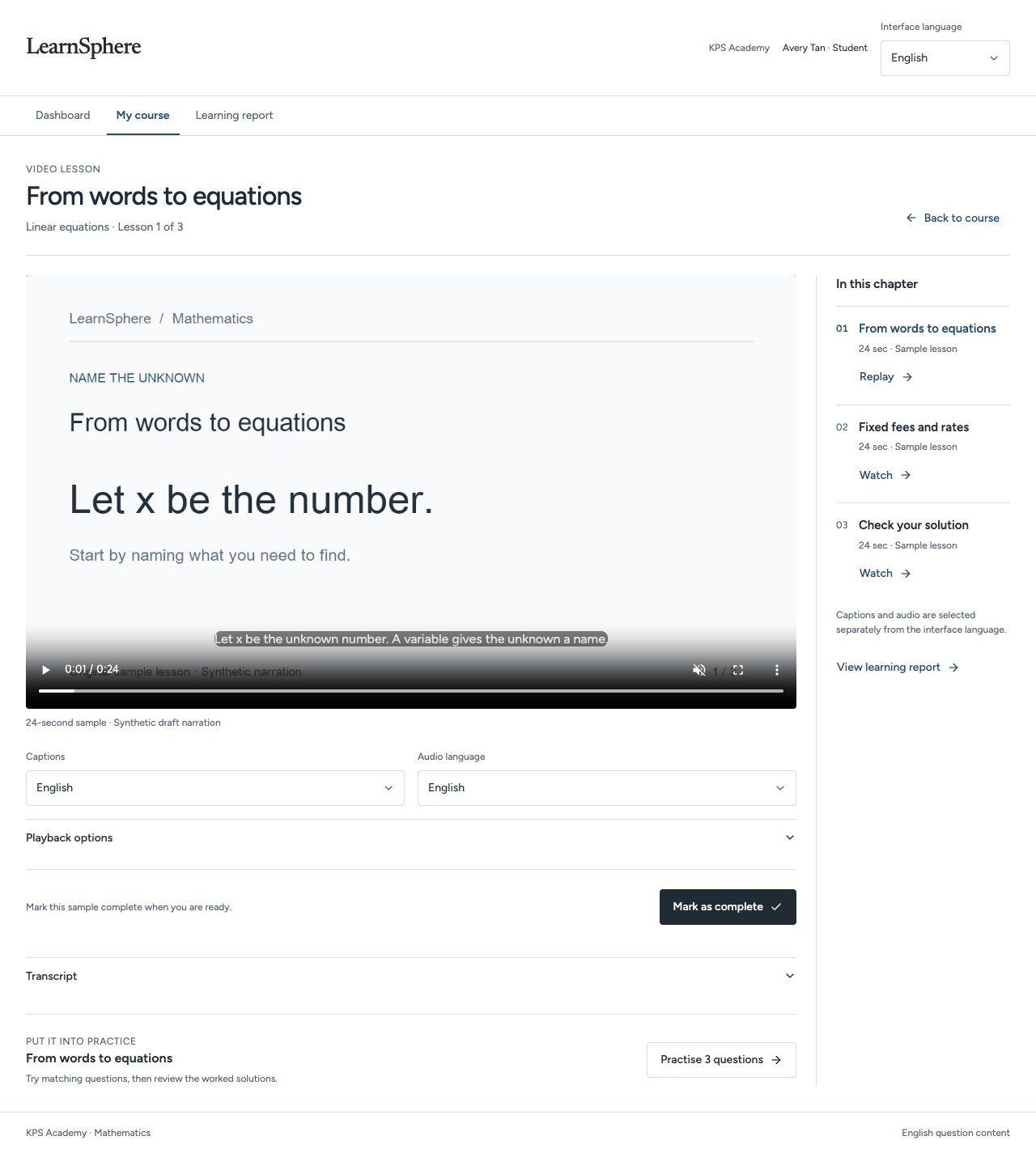
Actual app screens · Fictional demonstration data · English interface ↗ 03 Go straight to the explanation that matters. Open the linked segment of an assigned, published lesson. Read along, compare available transcripts and select a sentence to seek.
Watch the guide↗ ← Next step →
Actual app screens · Fictional demonstration data · English interface ↗ 04 Build understanding with related practice. Continue a related practice set from your report. Practice progress is tracked separately from the original test score.
Watch the guide↗ ← Next step →
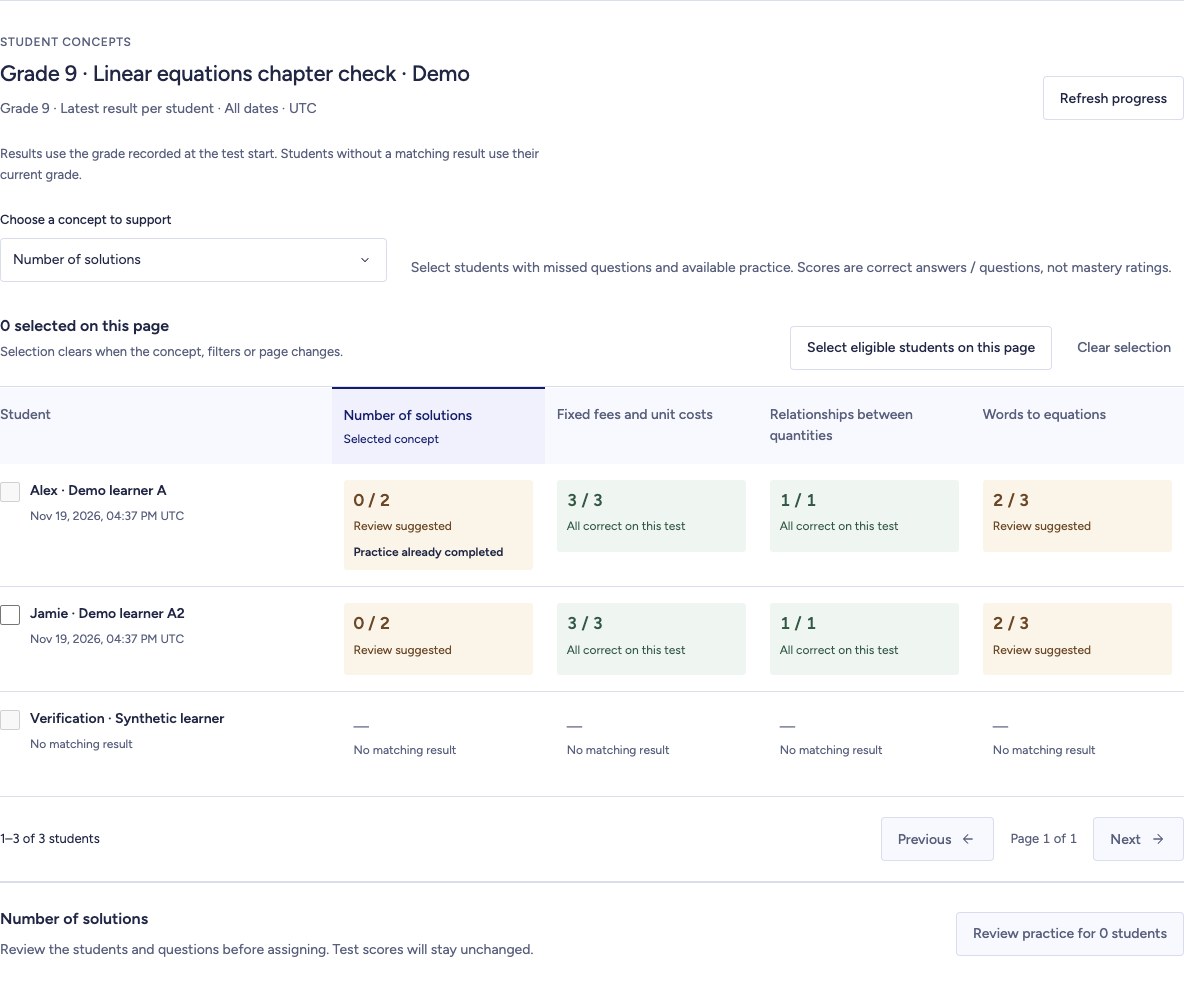
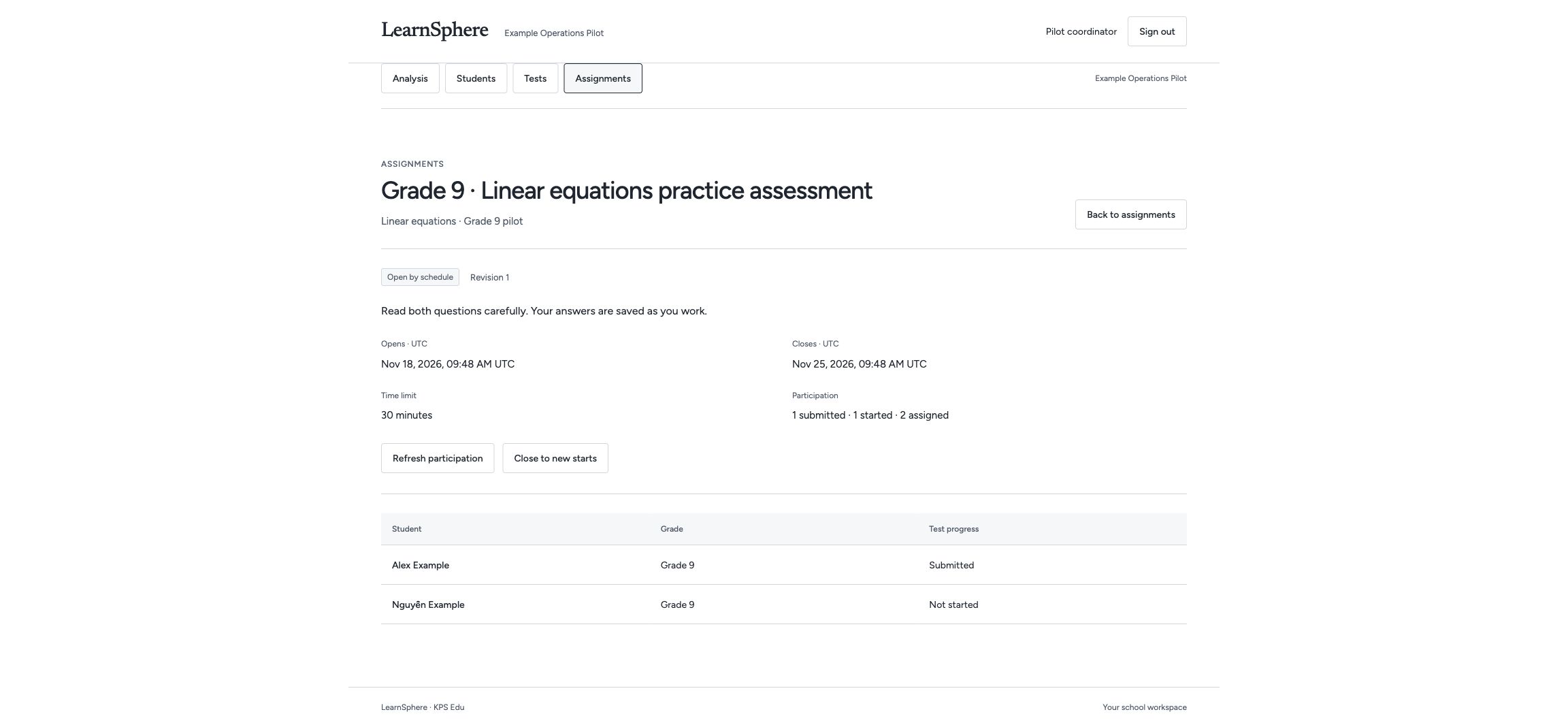
Actual app screens · Fictional demonstration data · English interface ↗ 05 Give the right learners the right support. Review student-by-concept results, preview suitable questions and assign focused practice. Return to check progress.
Watch the guide↗ Actual app screens · Fictional demonstration data · English interface ↗ CURRENT PRODUCT WORKFLOWS
Explore the workflows behind the platform. Review the current development workflows for course delivery, assessments, reporting and school administration.
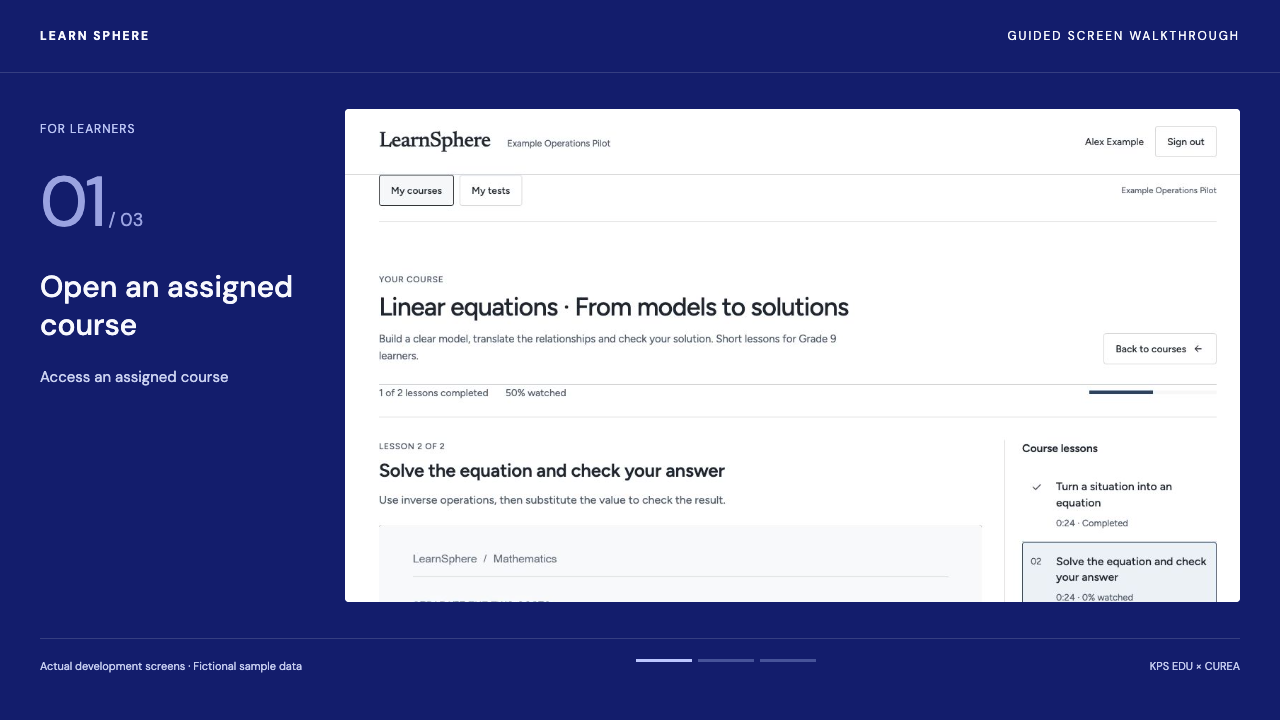
App workflows · Reviewed 20 November 2026 01 For learners Access an assigned course
↗ 02 For learners Review results and practise
↗ 03 For education staff Prepare and assign a test
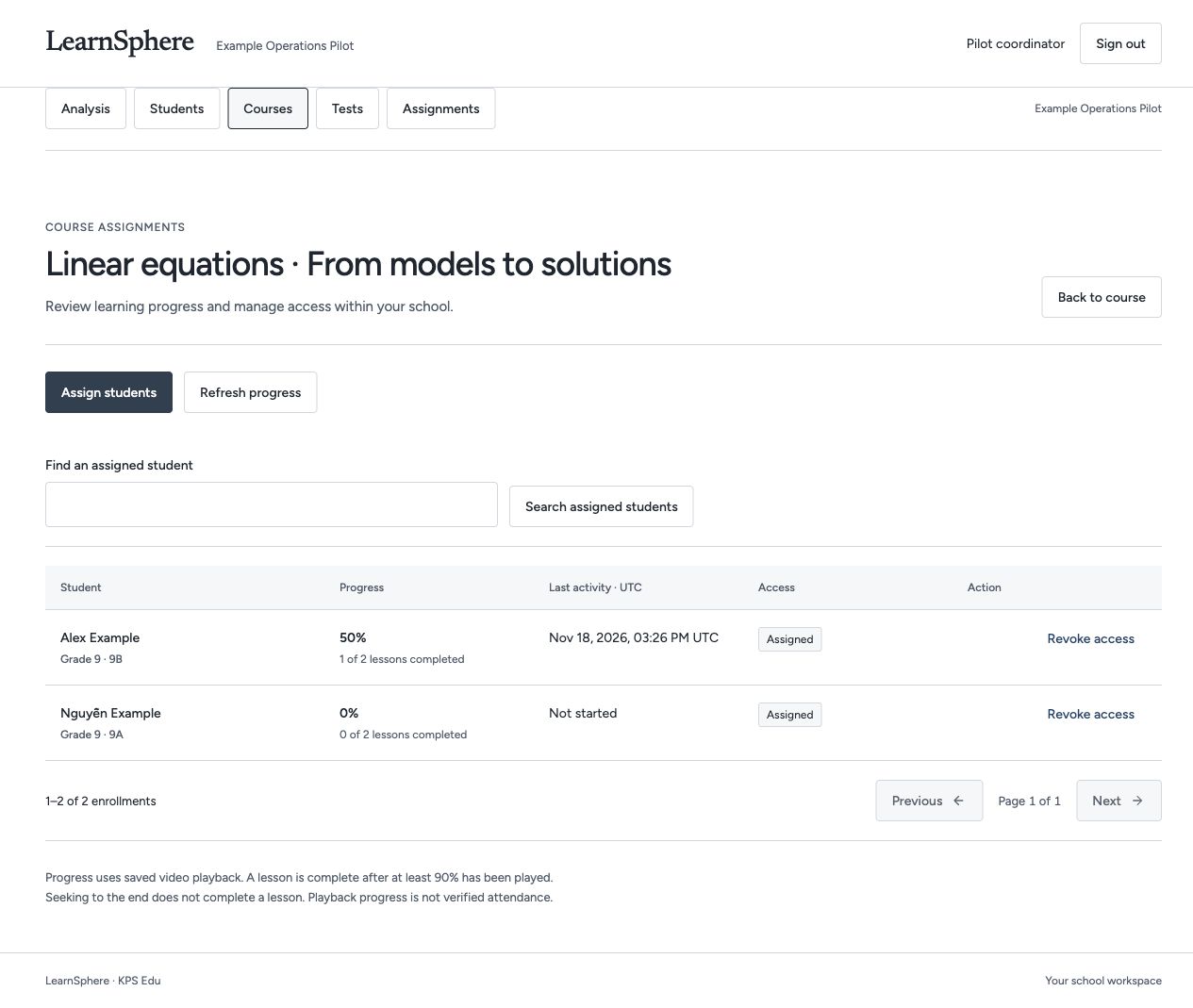
↗ 04 For education staff Publish and manage a course
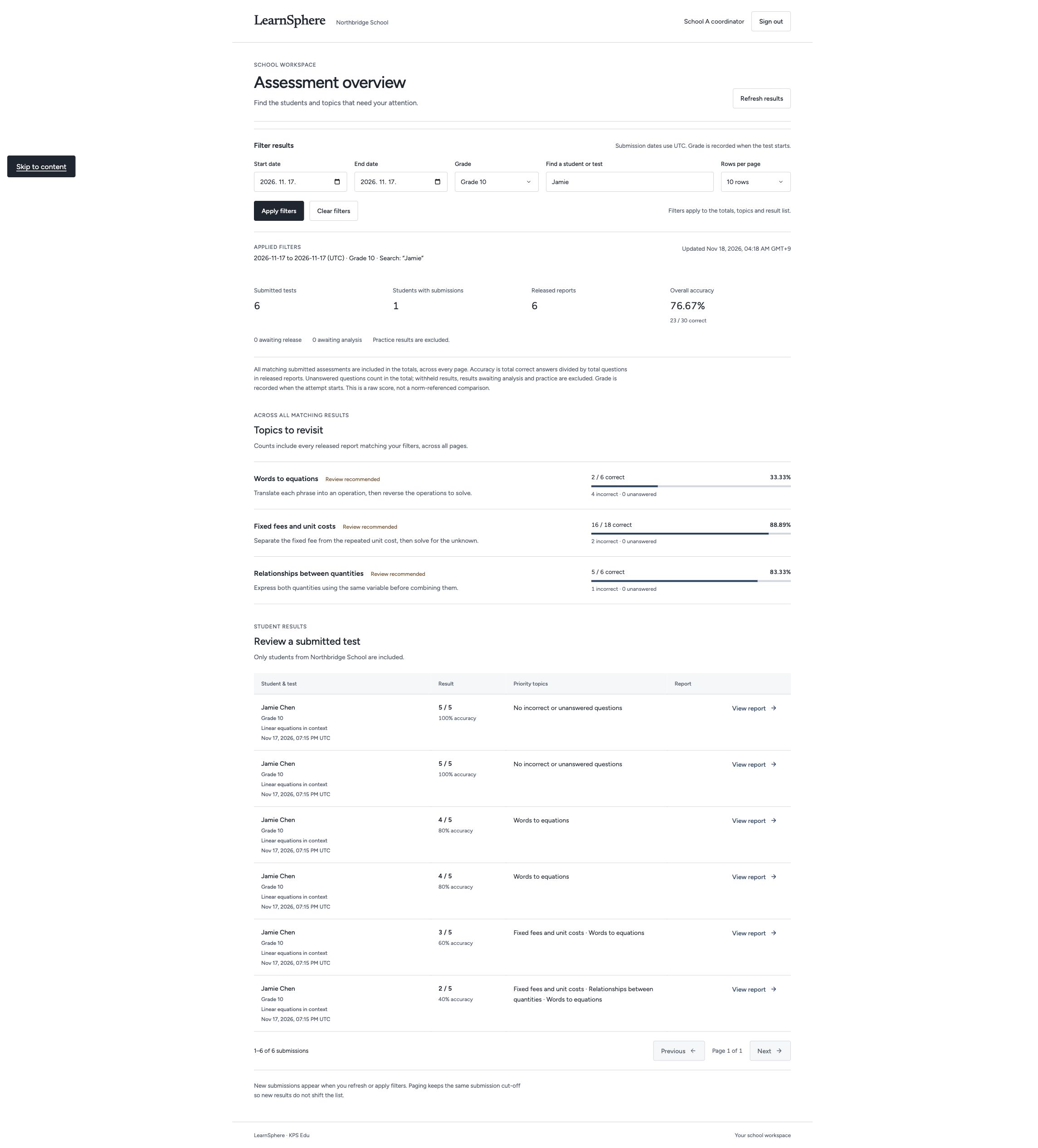
↗ 05 For education staff Analyse learning results
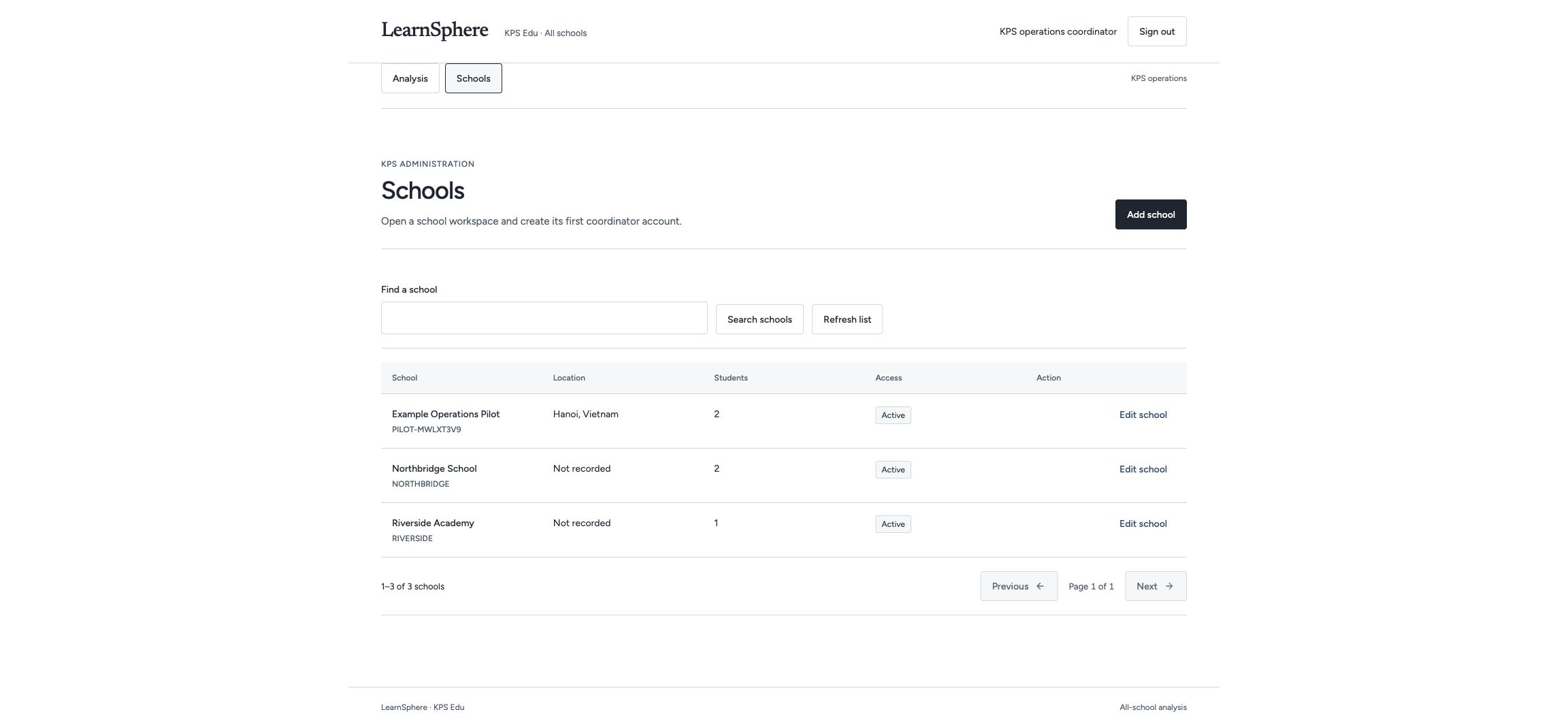
↗ 06 For education staff Coordinate school operations
↗ 07 For learners Choose an assessment view
↗ 08 For learners Guided review
↗ 09 For learners Learn with bilingual transcripts
↗ 10 For education staff Teaching support
↗ Open an assigned course, select a language and resume from a saved position. Open an assigned course Select video and captions Resume a lesson Learn this workflow→ Review published test results, understand the explanations and access related practice. View the published result Review the explanation Open related practice Learn this workflow→ Create a draft assessment, review it and assign the published version to students. Create a draft test Review and publish Assign the test Learn this workflow→ Organise lesson content, publish a course and monitor student progress. Organise lesson content Add video and captions Assign and monitor Learn this workflow→ Use participation, assessment results and group comparisons to plan follow-up teaching. Review school results Compare equivalent groups Save reporting filters Learn this workflow→ Manage school records and compare results within the access permitted for each role. Access the appropriate workspace Compare school results Reuse reporting filters Learn this workflow→ Keep the same attempt while changing how questions are displayed. Choose the view that suits you Check that your answer is saved Resume the same attempt Learn this workflow→ Connect a released result to a focused explanation, related questions and a visible next step. Turn a result into a clear next step. Go straight to the explanation that matters. Build understanding with related practice. Learn this workflow→ Read alongside the lesson and revisit a precise moment. Open the lesson transcript Compare available languages Select a sentence to replay Learn this workflow→ Help authorised educators choose whom to support, review the questions and follow each assignment through to completion. Evidence before action Review before assigning Follow through Learn this workflow→ LEARN SPHERE / 01 01 / Assessments
Start with a question. Create and assign assessments, review responses and identify topics for further study.
Learn more LEARN SPHERE / 02 02 / Learning & practice
From understanding Provide video lessons, explanations and related practice in a structured learning sequence.
Learn more LEARN SPHERE / 03 03 / Insights & reports
See the learning Review participation, question-level results and comparable student groups to inform teaching decisions.
Learn more 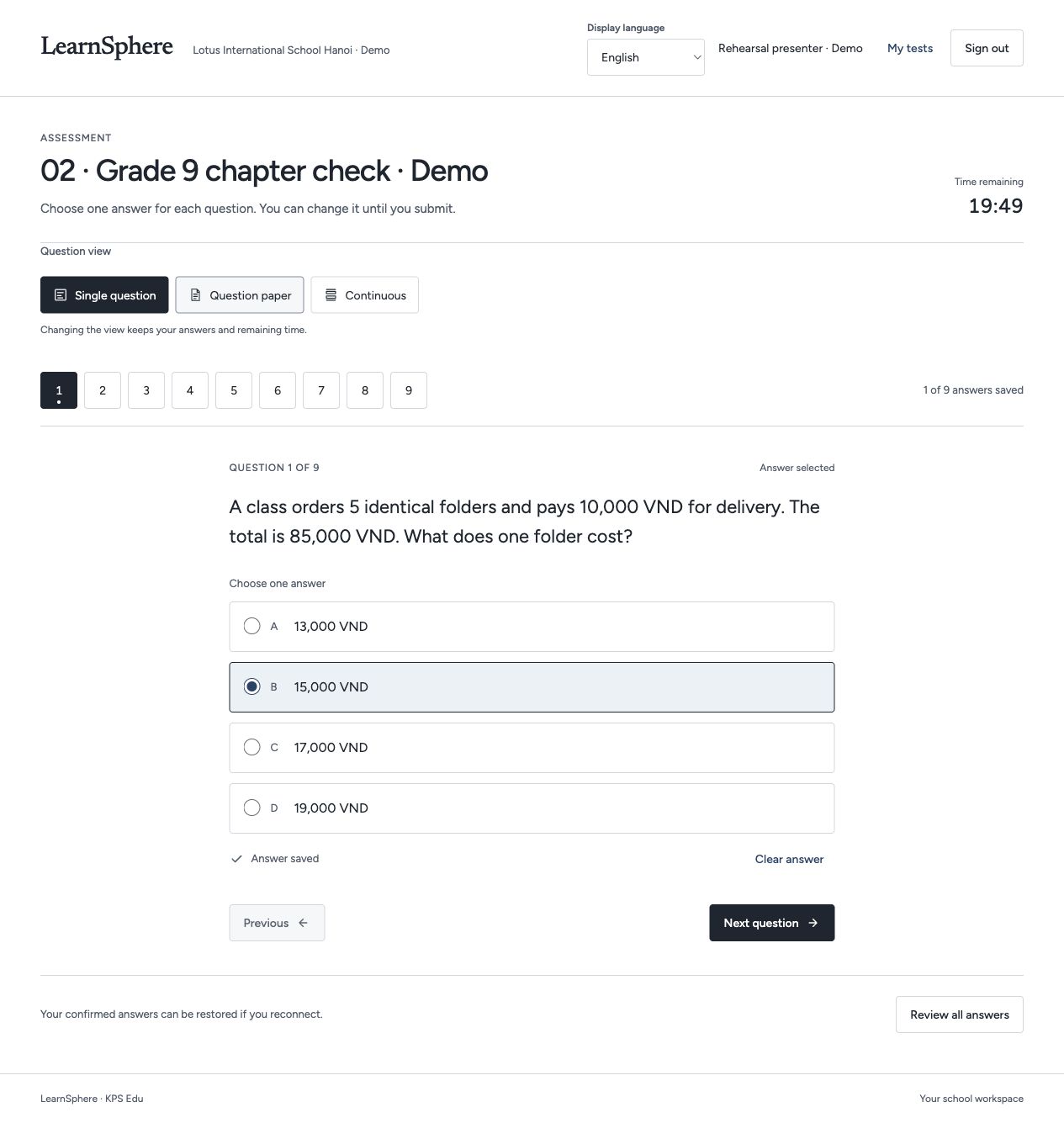
 Explore the full screen ↗